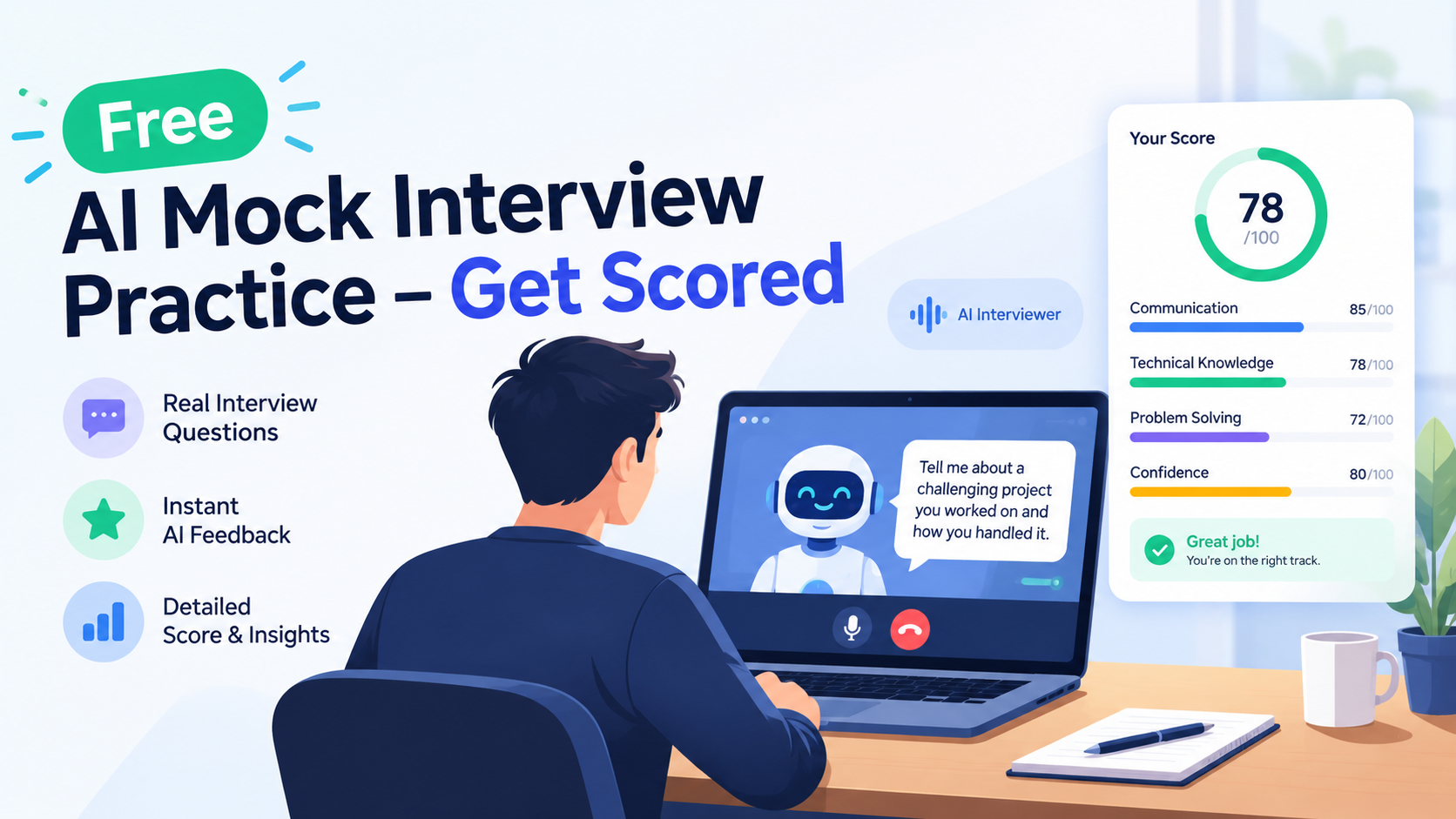
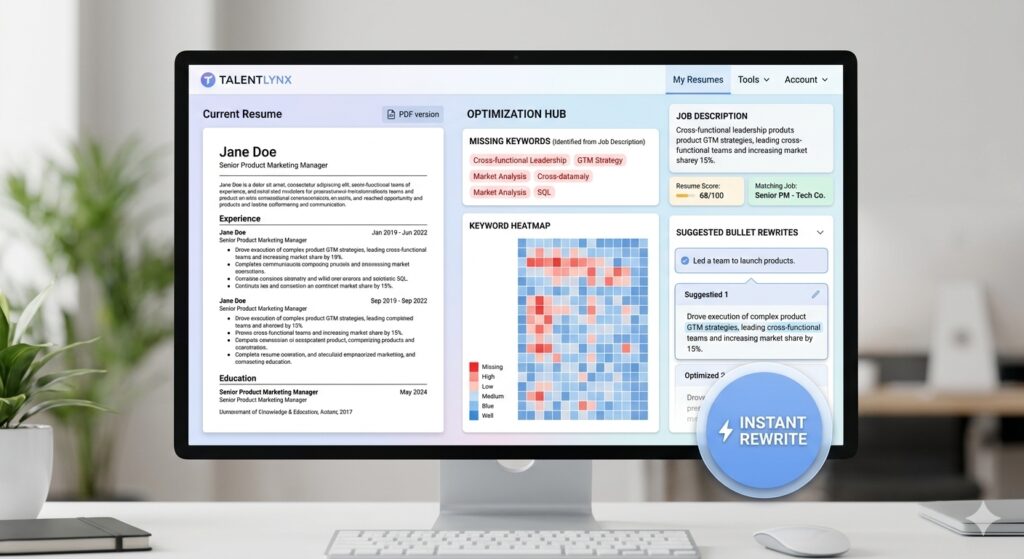
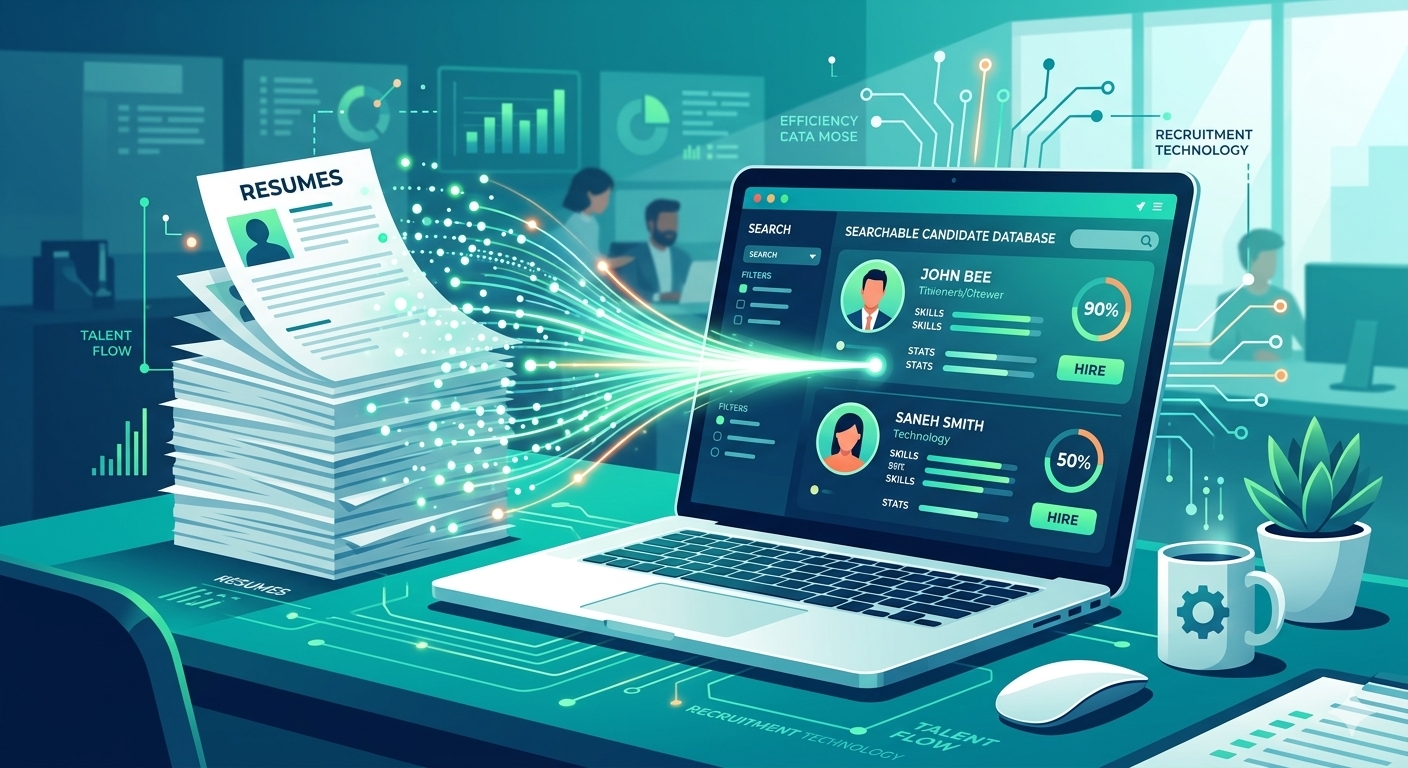
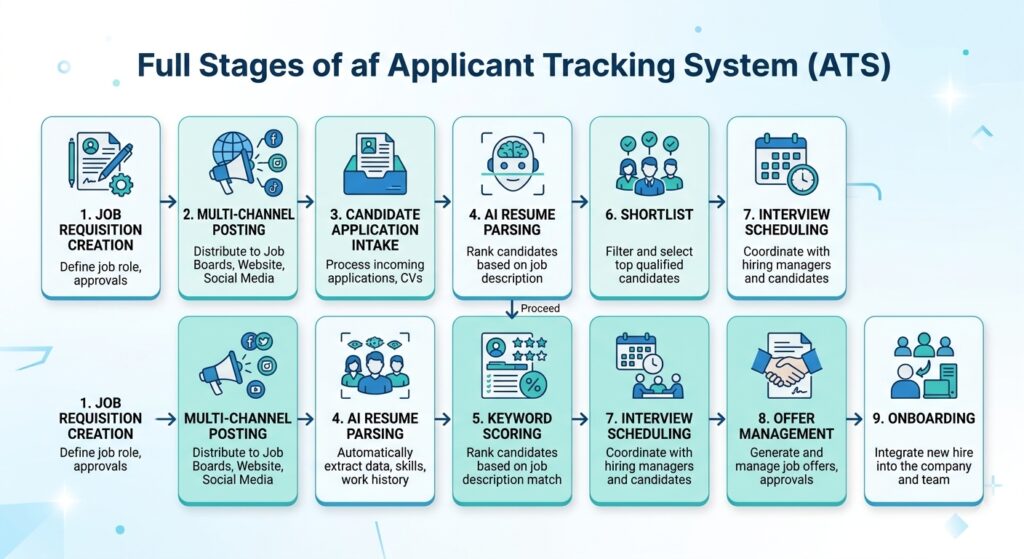
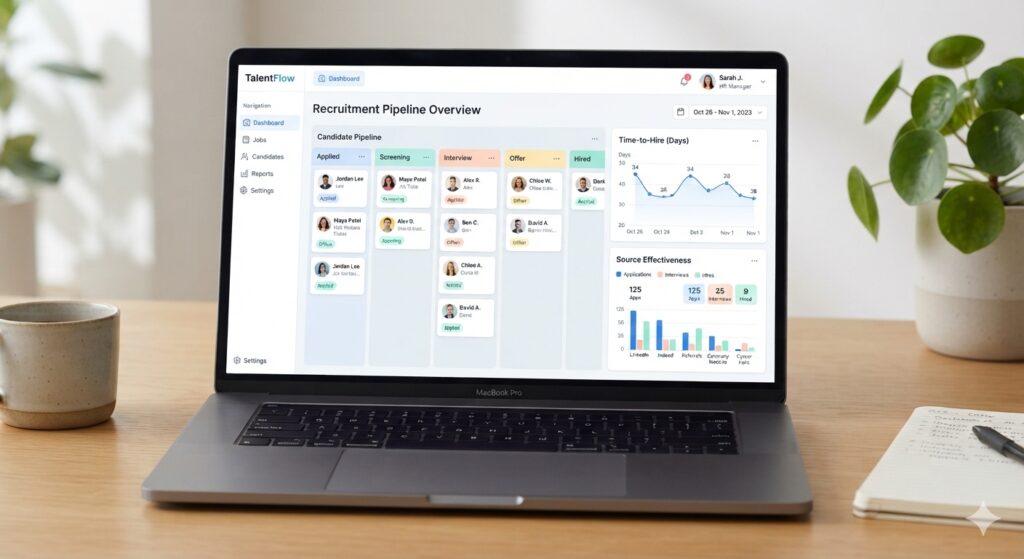
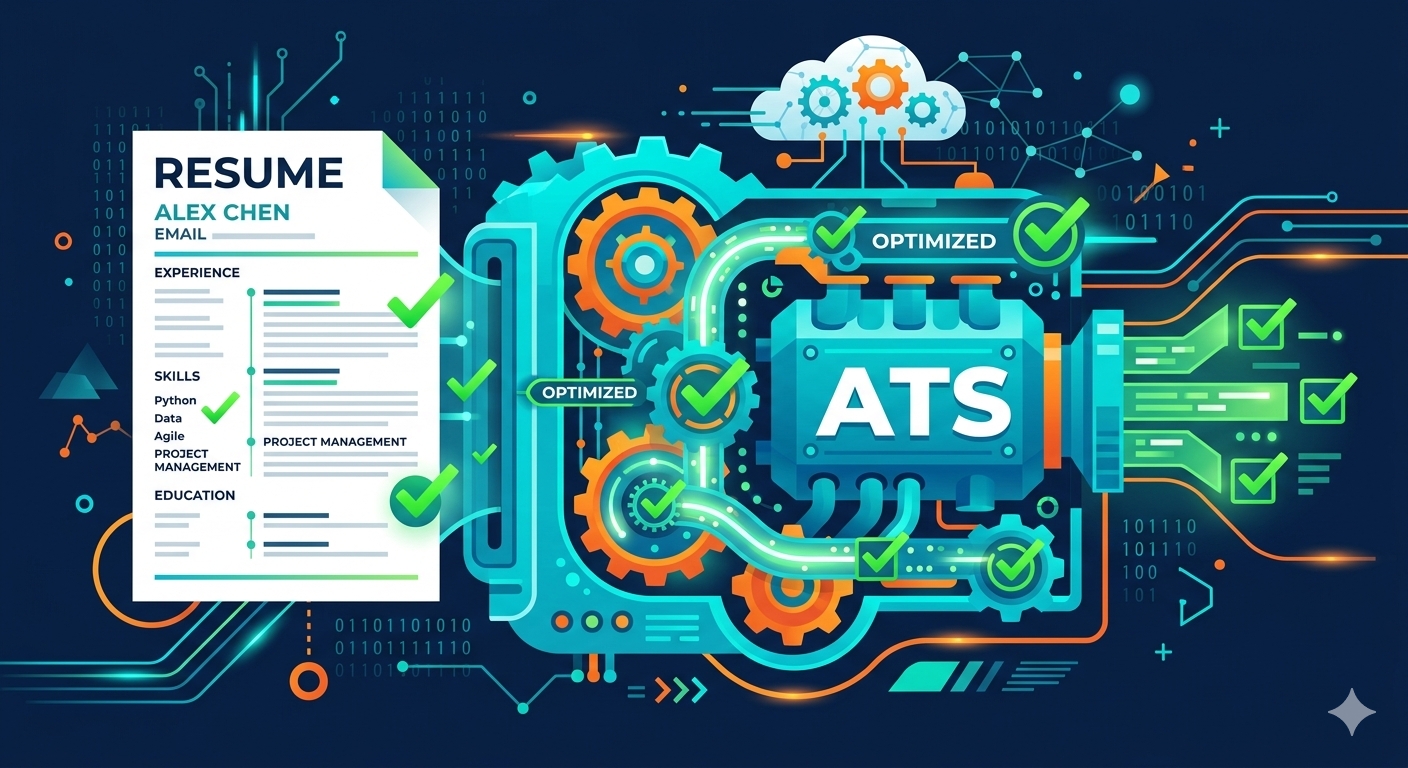
Reading interview questions is easy. Answering them out loud is where most people get stuck. This AI mock interview asks you questions based on your own resume. You speak your answers and then get a scored review that shows what to fix.
How the mock interview works
Add your resume and the job. Upload your resume. Add the job description if you have one, so the questions fit the role.
Answer 5 questions out loud. The questions come from your experience and the job. Answer as you would in a real interview.
Get your scored review. You see a score and feedback on each answer, covering what worked and what to improve.
Practise again. Fix the weak answers and run another session.
What you get in the review
A score for each answer, so you know which ones need work.
Specific feedback on clarity, structure and how well you backed up your points.
Ideas for stronger answers that you can reuse in the real interview.
Why practise out loud
Many people find that an answer which sounds fine in their head falls apart when they say it. Speaking it once shows you where you ramble, where you lack an example, and where you need a clearer ending. Two or three practice rounds usually make a noticeable difference.
Who it’s for
Freshers preparing for a first interview.
Experienced candidates returning to interviews after years.
Career switchers who need to explain a change in direction.
Get ready for the whole application
Before the interview, run your resume through the free ATS resume checker to make sure it gets read. You can also build or tidy your resume with the resume builder.
Is it free?
Your first mock interview each week is free, with no sign-up needed. After that, each session costs 5 credits (₹5). You can also buy a weekly or monthly pass.
Frequently asked questions
Is the mock interview really free? Your first session each week is free. Extra sessions cost 5 credits each.
Do I need an account? No. You can start straight away.
What kind of questions will I get? Questions based on your resume and, if you add one, the job description.
How many questions are there? Five per session.
Do I need a microphone? Yes, because you answer by speaking. Allow microphone access when your browser asks.
Is my resume stored? Add whatever statement matches your privacy policy here. Check it before publishing.
Will this guarantee I get the job? No. It helps you practise and spot weak answers, but the result depends on the real interview.
Make a resume that gets past the ATS and still reads well to a person
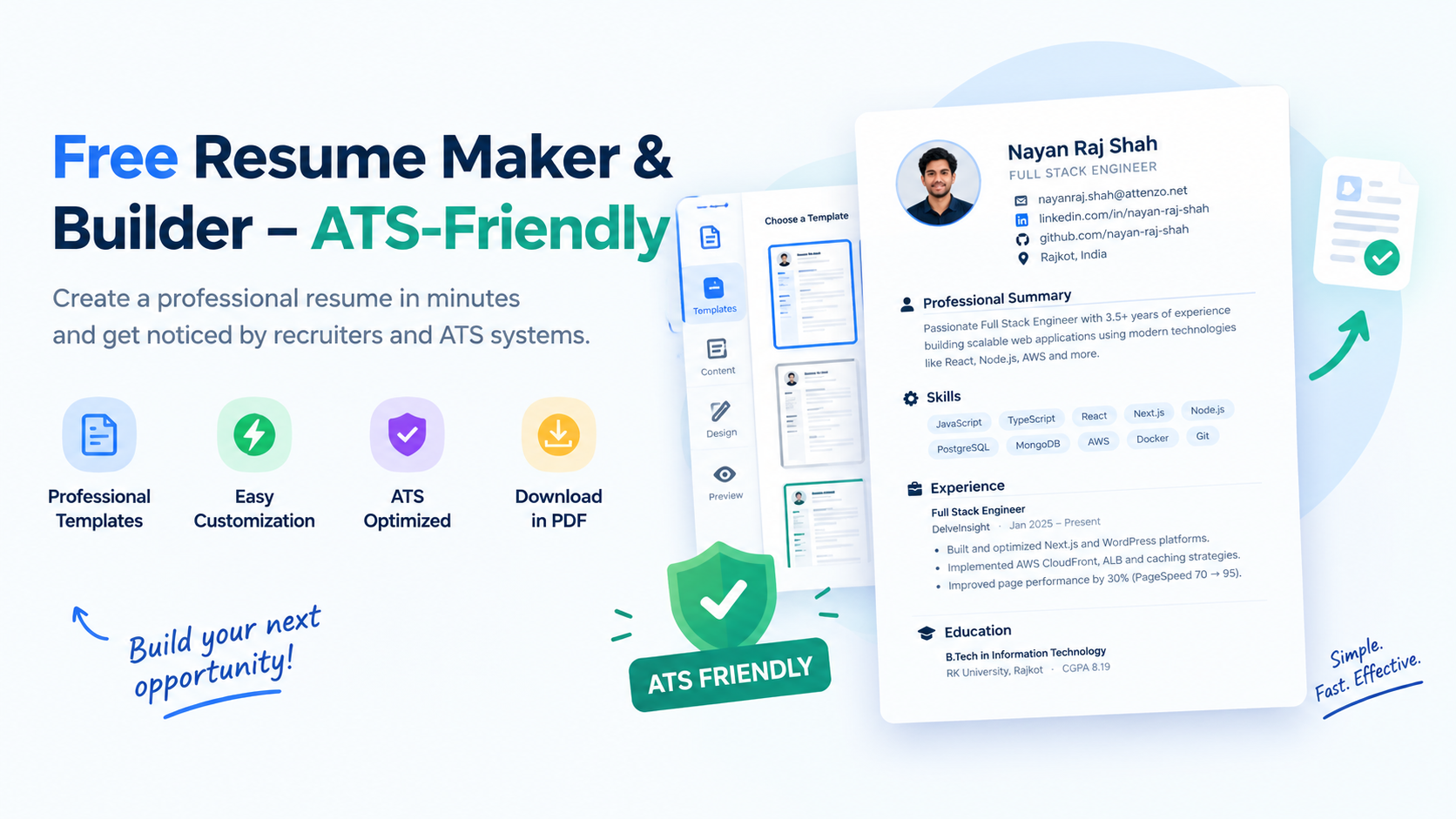
Most companies run your resume through an applicant tracking system (ATS) before a recruiter sees it. If the layout confuses it, your details can be misread or skipped. MyResumeScan’s resume maker builds a clean, single-column resume that ATS software can read. It also gives you wording you can edit freely.
How the resume builder works
Add your details. Type them in, or upload your old resume (PDF, DOCX or TXT) so you don’t start from a blank page.
Paste a job description (optional). The builder uses it to bring forward the skills and keywords that job asks for.
Pick a template. Choose a clean layout and check the preview.
Edit and download. Change any line you want, then download the PDF.
What makes a resume ATS-friendly
A simple layout. One column, standard headings and no text boxes or tables that hide your content.
Real text. The PDF has selectable text, not a picture of text.
Keywords from the job. The skills and tools the job lists appear in your resume, where they’re true for you.
Standard section names. Summary, Experience, Education and Skills, so the system files each part correctly.
Who it’s for
Freshers and students writing a first resume with little experience.
Professionals who want to refresh an old resume for a new role.
Career switchers who need to tailor the same experience to a different job.
Check your resume before you apply
After you build it, run it through the free ATS resume checker. It shows your score and the keywords you’re missing for a specific job. You can also practise with the AI mock interview, which asks questions based on your resume.
Is it free?
You get a few free actions each week, with no sign-up needed. If you need more, you can buy a small credit pack or a weekly or monthly pass.
Frequently asked questions
Is this resume maker really free? You can build and download a resume using your free weekly actions. After that you can buy more credits or a pass.
Do I need to create an account? No. You can start straight away.
Can I upload my old resume? Yes. Upload a PDF, DOCX or TXT file and the builder uses it as the starting point.
Will the resume pass an ATS? No tool can guarantee that. The builder follows ATS-friendly formatting, and you can check the result with the free ATS checker.
Can I edit the text it writes? Yes. Every line is editable before you download.
Does it make up experience? It’s meant to reword what you give it, not invent anything. Read every line before you send it, and remove anything that isn’t true.
Why AI Is Now a Core Part of Technical Interview Prep
In 2026, more than 60% of Fortune 500 firms use AI‑driven screening tools, and the same companies are increasingly allowing (or even requiring) candidates to leverage AI assistants during live coding rounds. This shift means that interview success no longer hinges solely on memorizing algorithms; it also depends on demonstrating AI fluency—the ability to prompt, verify, and iterate on AI‑generated code while communicating your thought process clearly.
Data from recent studies shows candidates who integrate AI coaching into their routine are 3.7× more likely to reach final interview rounds and negotiate 24% higher salary offers. AI therefore acts as a force multiplier: it can accelerate problem‑solving, surface hidden skill gaps, and provide instant feedback on communication style.
However, the advantage only materializes when AI is used strategically, not as a shortcut. The following guide outlines a complete, ethical, and results‑driven preparation pipeline that blends AI tools with proven human‑centric study methods.
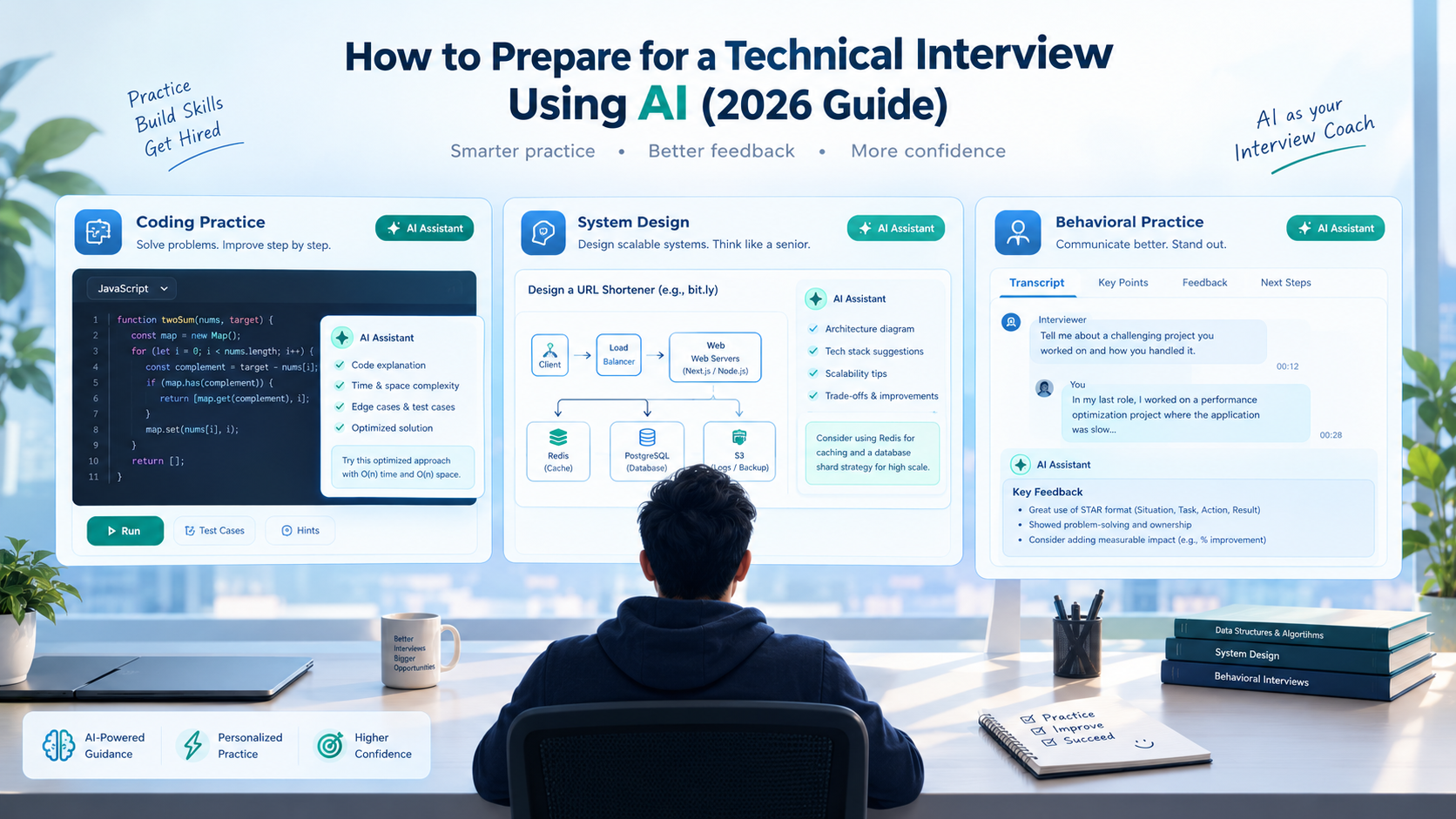
Candidate practicing a live AI‑assisted coding interview on a laptop with a digital assistant window beside the code editor
1. Build the Foundations: Resume, Keywords, and Story Bank
1.1 AI‑Enhanced Resume Scan
Before you even write a line of code, ensure your resume passes both ATS filters and AI‑driven resume scanners. Use MyResumeScan’s AI Resume Scanner to upload your CV and the target job description. The tool highlights missing keywords, suggests quantifiable impact statements, and even generates a preliminary STAR+R story for each major bullet point.
1.2 Crafting a Hyper‑Personalized STAR Bank
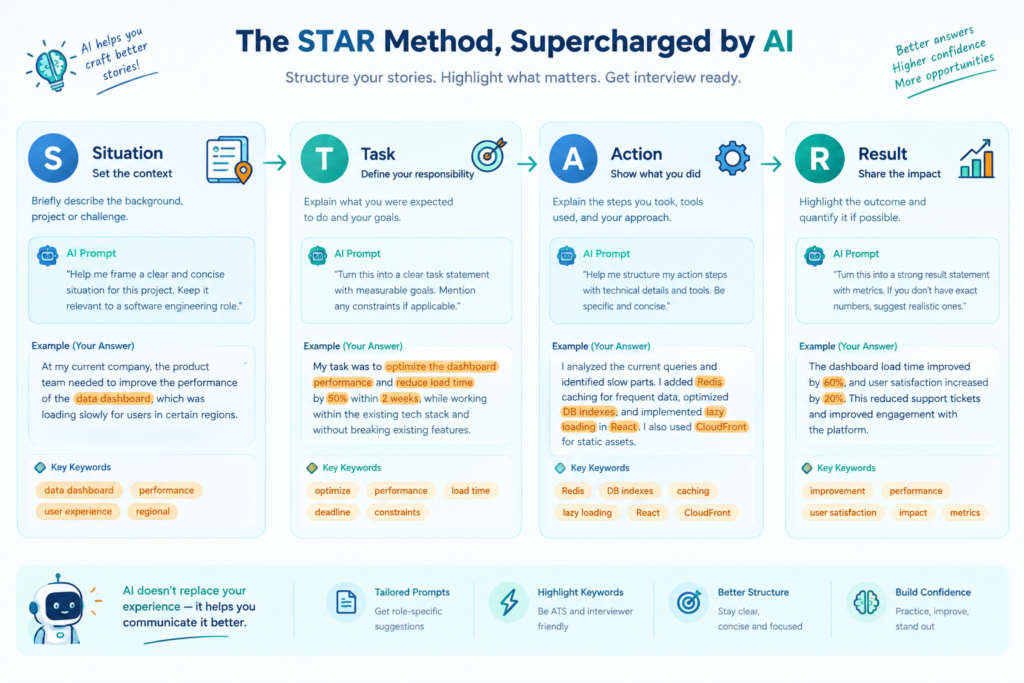
AI can turn a generic achievement into a targeted STAR narrative. Feed the scanner the highlighted bullet points and ask for a STAR+R rewrite that incorporates 8–10 role‑specific keywords (e.g., “scalable micro‑services,” “model‑monitoring,” “CI/CD pipelines”). Store 5–6 polished stories in a Google Doc, each with a concise Result metric (percentage uplift, cost reduction, latency improvement). This bank becomes the backbone of both behavioral and technical interview answers.
For a visual representation of this workflow, see the diagram below.
Visual diagram of a STAR story workflow with AI‑generated prompts and keyword matching highlighted
1.3 Aligning Stories with Role Archetypes
Identify whether the target role leans toward platform, product, data/ML, or leadership. Adjust the emphasis of each story accordingly: platform roles showcase latency and scalability, data roles focus on model accuracy and bias mitigation, leadership roles highlight cross‑functional influence and mentorship.
2. Choose the Right AI Tools for Each Interview Stage
2.1 Coding Assistance Platforms
Several AI coding assistants excel in real‑time hinting:
LockedIn AI – offers live code suggestions, edge‑case checks, and a confidence index on the chosen algorithm.
GitHub Copilot – integrates directly into VS Code, ideal for take‑home projects and rapid prototype building.
Interview Coder – a low‑latency (<1 s) assistant that works inside CoderPad and can surface test‑case analysis without being visible to interviewers.
When practicing, start each session with a baseline solution (no AI), then invoke the assistant to see alternative approaches, compare runtimes, and discuss trade‑offs out loud. This mirrors the hybrid live‑coding rounds at Google and Canva, where candidates must justify why they kept or discarded AI‑suggested code.
2.2 System‑Design Canvas
For design interviews, tools like Cloudvyn AI provide a visual canvas where you can drop components (APIs, databases, message queues) and receive instant feedback on scalability, consistency, and cost. Pair this with a voice‑over narration: describe each decision, ask the AI for potential bottlenecks, and then critique the suggestions manually.
2.3 Behavioral Mock Interviews
MyResumeScan’s AI Mock Interview Practice simulates video‑based questions, records your response, and scores it on structure, keyword match, pace, and filler‑word usage. Use the feedback loop to tighten your STAR delivery, ensuring each answer stays under two minutes and hits at least three job‑specific verbs.
3. Structuring a Week‑Long Practice Routine
Consistency beats intensity. Adopt the following 5‑day cadence, adjusting for personal schedules:
Monday – Resume & Keyword Alignment: Run the AI resume scanner, update STAR stories, and export the top three keywords for the target role.
Tuesday – Baseline Coding: Solve 2–3 algorithm problems (arrays, hash maps, DP) on LeetCode without AI. Time each to 25 minutes.
Wednesday – AI‑Assisted Coding: Re‑attempt Tuesday’s problems with LockedIn AI, focusing on prompt engineering (e.g., “Give me a O(N log N) solution for merge‑sort and suggest edge cases”). Record the session and note where AI helped or mis‑led you.
Thursday – System Design + Voice‑Over: Use Cloudvyn to sketch a rate‑limiter architecture. Narrate each design choice, ask the canvas for latency estimates, then critique the AI’s suggestions.
Friday – Behavioral Mock & Technical Setup: Complete a full mock interview on MyResumeScan, then perform a 3‑minute tech check (camera eye‑level, 5 Mbps upload, clear background).
Repeat the cycle, rotating focus areas (e.g., swap rate‑limiter for a recommendation engine on week two).
4. Technical Setup – Avoiding the “AI‑Fails”
AI interview platforms evaluate visual cues alongside speech. Follow these checklist items to keep the algorithm on your side:
Camera at eye‑level, front‑lit with a soft‑white diffuser.
External USB microphone; run a test recording with Audacity to ensure no background hum.
Wired Ethernet connection or 5 Gbps Wi‑Fi; run a speed test 15 minutes before the interview.
Neutral background (plain wall or blurred bookshelf) to avoid distraction.
Disable notifications, close all non‑essential apps, and set the device to “Do Not Disturb”.
Set a reminder on your phone for a final 3‑minute check‑list before every live session.
5. Company‑Specific AI Prep
5.1 Research with AI‑Powered Market Analysis
Prompt an LLM with the company name and recent press releases to extract strategic priorities, tech stack, and product road‑maps. Convert the output into a 3‑bullet “Why I’m a fit” list that you can weave into every answer. For example: “At Canva, the focus on AI‑enabled design tools aligns with my work on a multi‑modal diffusion model that reduced rendering latency by 30%”.
5.2 Simulating Company‑Specific Questions
Feed the AI the job description and ask it to generate 5 technical and 5 behavioral questions tailored to the role. Run those through your mock‑interview platform, targeting the exact phrases the company uses (e.g., “cross‑functional collaboration”, “model monitoring”). This improves the keyword match score of AI interview systems that scan for exact terminology.
6. Ethical Use & Bias Mitigation
While AI dramatically accelerates preparation, ethical considerations remain critical:
Transparency: If the interview explicitly allows AI, mention your usage and briefly describe the prompt you gave and how you validated the output.
Hallucination Guardrails: Always run unit tests on AI‑generated code. Verify assumptions about data schemas and algorithmic complexity manually.
Bias Awareness: AI models can perpetuate bias in language or code style. Cross‑check generated explanations for inclusive wording and avoid over‑reliance on jargon that masks shallow understanding.
These practices not only keep you compliant with emerging regulations (e.g., Illinois AI Video Interview Act) but also demonstrate professional judgment—an attribute many interviewers weigh heavily.
7. The Final 20‑Minute Pre‑Interview Checklist
Review the role’s top three keywords and ensure they appear in your STAR stories.
Run a 2‑minute mock video using MyResumeScan; verify subtitle accuracy.
Open your coding IDE, load the AI assistant, and have a ready prompt template: “Provide a O(N log N) solution for ______. Include edge‑case tests and explain time‑space trade‑offs.”
Check your internet speed, microphone levels, and camera framing.
Take a deep breath, smile, and set a visible reminder (e.g., a photo of a mentor) to stay authentic.
Following this checklist reduces the likelihood of technical glitches and boosts the confidence index that AI interview platforms score.
Conclusion – Turn AI Into Your Personal Interview Coach
Preparing for a technical interview in 2026 is no longer a solo marathon; it’s a collaborative sprint with AI as a coach, not a crutch. By aligning your resume, building a keyword‑rich STAR bank, selecting the right AI assistants for coding, system design, and behavioral practice, and rigorously testing your technical setup, you position yourself to ace both the human and AI judges.
Start today: run an AI resume scan, schedule a mock interview on MyResumeScan, and claim the strategic edge that 3.7× more candidates are already enjoying.
In 2026 the average job posting attracts more than 250 applications. Manually skimming each PDF not only drains recruiter hours but also introduces inconsistency and unconscious bias. Companies that adopt AI‑driven bulk screening report up to a 76 % reduction in review time and a measurable uplift in diversity metrics. The shift from a handful of resumes to a few hundred per role makes AI the logical next step for any talent acquisition team that wants to stay competitive.
But technology alone isn’t a silver bullet. An effective AI screening process combines the speed of machines with the nuance of human judgment. This guide walks you through the entire lifecycle – from preparing the job description to interpreting AI scores and ensuring compliance – so you can confidently screen multiple resumes at once.
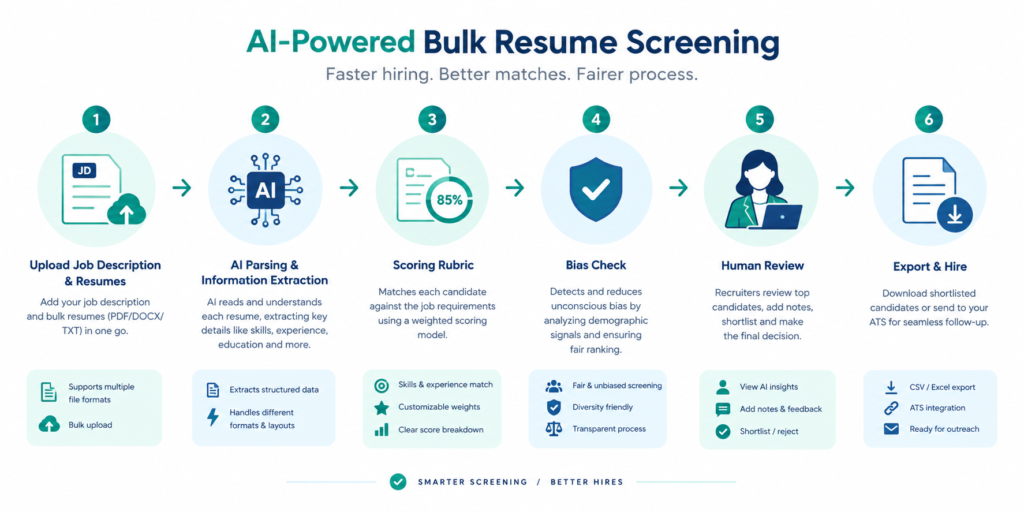
Flowchart showing AI bulk resume screening workflow from job description upload to shortlist export
Understanding How AI Resume Screening Works
Modern AI screeners go beyond keyword matching. Using natural language processing (NLP) and contextual embeddings, they transform unstructured resume text into a structured data set that captures:
Verified skill sets (e.g., Java, data visualization, Agile methodology)
Experience depth and tenure across roles
Education and certifications, with optional verification against public databases
Soft‑skill indicators extracted from achievement statements
These signals are then compared against a job‑description‑driven rubric. Unlike traditional ATS that rely on exact phrase matches, AI can recognize synonyms, related concepts, and even transferable experience – a crucial advantage when candidates use varied terminology.
Key Benefits
Speed: Hundreds of resumes processed in seconds (Bulk Resume Scanner can handle 500+ files in under 2 minutes).
Consistency: Every applicant is evaluated against the same weighted criteria, eliminating reviewer fatigue bias.
Explainability: Most platforms provide evidence‑linked scores, showing exactly which resume line justified each match.
Bias mitigation: Anonymized inputs, removal of protected attributes and regular fairness audits keep the process equitable.
Step 1 – Craft a Precise, AI‑Ready Job Description
The quality of AI output hinges on the input you feed it. A well‑structured job description should contain three layers of criteria:
Must‑have – non‑negotiable skills or certifications (e.g., “5+ years of Python development”).
Preferred – desirable but not essential (e.g., “experience with Docker or Kubernetes”).
Assign a weight to each layer; for example, Must‑have = 60 %, Preferred = 30 %, Potential = 10 %. This weighted rubric becomes the backbone of the AI scoring engine.
Tip: Use the AI Resume Scanner to test how well a sample resume aligns with your description before bulk processing.
Step 2 – Prepare Your Resume Batch
Collect all applicant files into a single ZIP or folder. Accepted formats typically include PDF, DOCX, and sometimes LinkedIn export files. Ensure each file is under the size limit (most tools cap at 10 MB per resume). If you receive a mix of naming conventions, AI platforms will automatically assign a unique identifier, so you don’t need to rename files.
For high‑volume roles (e.g., retail associate), you might be uploading 500+ resumes at a time. MyResumeScan’s Bulk Resume Scanner supports such uploads and stores only resume fingerprints, safeguarding candidate privacy.
Step 3 – Configure the Scoring Rubric in the Tool
Most AI screeners provide a visual editor where you can paste your job description and then drag‑and‑drop criteria into the rubric. Set thresholds for each category:
Minimum match for Must‑have: 75 %
Preferred average: 50 %
Potential highlight: any score above 30 %
Enable bias‑safeguards such as anonymization and third‑party fairness audits if the platform offers them. Document the rubric version in a shared folder for audit trails – compliance teams appreciate this traceability under GDPR or EEOC regulations.
Step 4 – Run the Bulk Screening
Upload your ZIP file, select the rubric, and launch the scan. Within seconds the AI will:
Parse each resume into structured fields.
Match skills, experience, and education against the weighted criteria.
Generate a numeric fit score (often 0–100) plus a categorical verdict (Advance / Review / Reject).
Produce an evidence list linking each scored item back to the specific resume line.
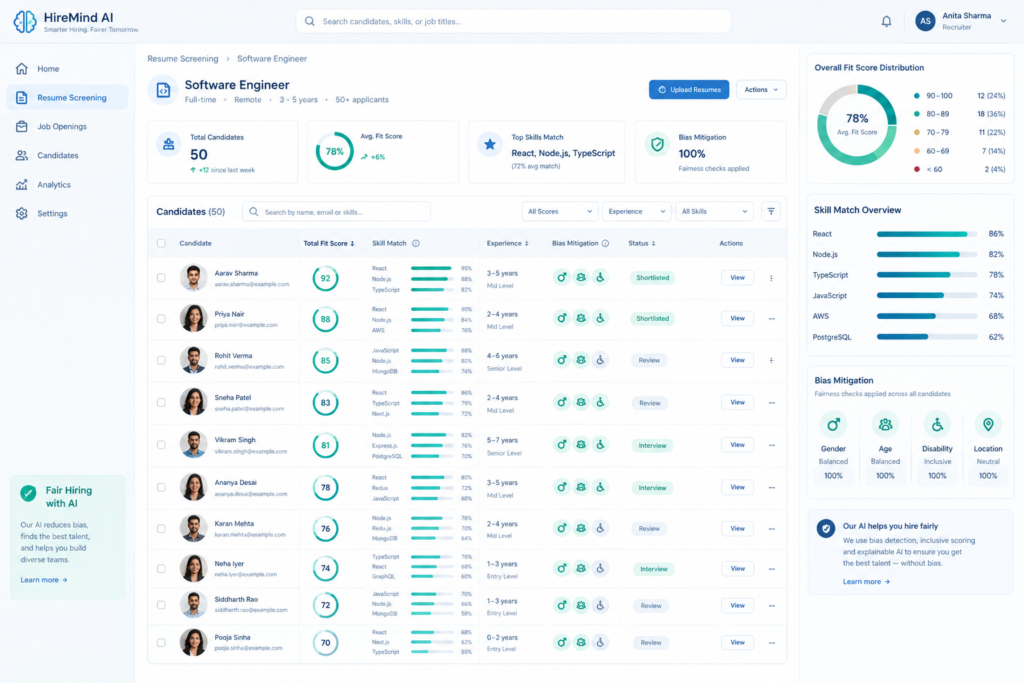
Here is an example of a typical output dashboard:
Dashboard screenshot of an AI resume screening tool with candidate scores, skill match bars, and bias indicators
Step 5 – Interpret Scores and Create Shortlists
Rather than treating the AI list as a definitive ranking, segment candidates into three buckets:
Strong Match – Scores above 80 % and meeting all Must‑have criteria.
Review – Scores between 60–79 % with most Preferred criteria met.
Below Threshold – Scores under 60 % or missing a Must‑have.
Export the Strong Match bucket straight to your ATS for interview scheduling. For the Review bucket, assign a recruiter to conduct a quick deep‑read focusing on career logic, achievement specificity, and cultural fit – the qualitative step that AI cannot fully capture.
Step 6 – Keep Human Oversight for Borderline Cases
AI can inadvertently penalise candidates who use unconventional resume formats or who have career gaps explained in narrative form. A “human‑in‑the‑loop” review of the Review bucket catches these nuances. Additionally, ensure that any candidate flagged for potential bias (e.g., unusual name patterns) is manually evaluated to confirm fairness.
Document the rationale for any overrides in a shared spreadsheet. This audit trail is invaluable for compliance audits and for defending hiring decisions if challenged.
Step 7 – Integrate with Your Existing ATS
Most AI screeners, including MyResumeScan’s suite, offer native integrations with popular ATS platforms via API or direct sync. When integrated, AI scores are saved as custom fields on the candidate record, allowing recruiters to filter, sort, and report without leaving their familiar workspace.
Track key performance indicators (KPIs) for the new workflow:
Time‑to‑shortlist: Minutes per 100 resumes vs. hours pre‑AI.
Recruiter hours saved: Calculate based on average manual review time (≈15 min per resume).
Diversity lift: Percentage increase in under‑represented candidates advancing to interview.
Hire quality: 90‑day retention or performance rating of AI‑screened hires.
Quarterly, re‑run a sample batch with updated rubric weights to see how score distributions shift. Use these insights to fine‑tune the weighting or to add new data points such as verified certifications.
A Series A SaaS startup needed to staff 30 mid‑level engineers within 4 weeks. They received 1,200 applications via LinkedIn and their career site. By applying the workflow above with MyResumeScan’s Bulk Resume Scanner, they:
Reduced initial screening time from 120 hours to 2 hours.
Identified 110 Strong Match candidates, of which 30 were hired.
Achieved a 20 % increase in gender‑diverse hires compared with the previous manual process.
Saved an estimated $18,000 in recruiter costs (based on $35/hr rate).
The secret was a clear rubric that weighted “Cloud Architecture” as a Must‑have, and “Open‑source contributions” as Preferred. The AI highlighted several candidates with strong GitHub activity that would have been missed by keyword‑only filters.
Best Practices Checklist
Document and version‑control your scoring rubric.
Run bias audits quarterly – check for disparate impact on gender, ethnicity, or education.
Maintain a human review stage for the Review bucket and any borderline cases.
Ensure data privacy: store only fingerprinted resume data and delete after the hiring cycle.
Integrate AI scores into your ATS to keep the workflow seamless.
Continuously collect recruiter feedback to retrain or adjust the AI model.
Conclusion – Leverage AI, Preserve Humanity
Screening multiple resumes at once is no longer a nightmare; it’s an opportunity to make hiring faster, fairer, and more data‑driven. By pairing a robust, weighted rubric with an explainable AI screening engine, you can filter thousands of candidates in minutes while still keeping the final decision in human hands. The result? Shorter time‑to‑hire, reduced bias, and a talent pool that truly reflects the skills your organization needs.
Ready to try it yourself? Start with a free trial of MyResumeScan’s Bulk Resume Scanner and see how AI can transform your hiring pipeline today.
Applicant Tracking Systems (ATS) have become the first gatekeeper for most corporate hiring pipelines. Studies show that up to 75% of resumes are rejected before a human ever sees them, typically because the resume fails to parse correctly or lacks the right keywords. A high ATS match percentage (70‑80% or above) dramatically increases the odds of landing an interview, especially for large enterprises that rely on automated parsing.
Because the stakes are so high, job seekers often turn to tools that promise a “match rate” or an “ATS score”. Jobscan has long been the market leader, but its free tier is limited to five scans per month and its paid plans start at $49.95 / month. For candidates applying to dozens of roles, that cost can quickly become prohibitive.
Fortunately, a growing ecosystem of free and low‑cost alternatives now offers comparable—or even superior—functionality, from unlimited scans to AI‑driven resume rewrites. This guide walks you through the most compelling options, compares pricing and features, and shows how you can achieve a high ATS score without splurging on a premium subscription.
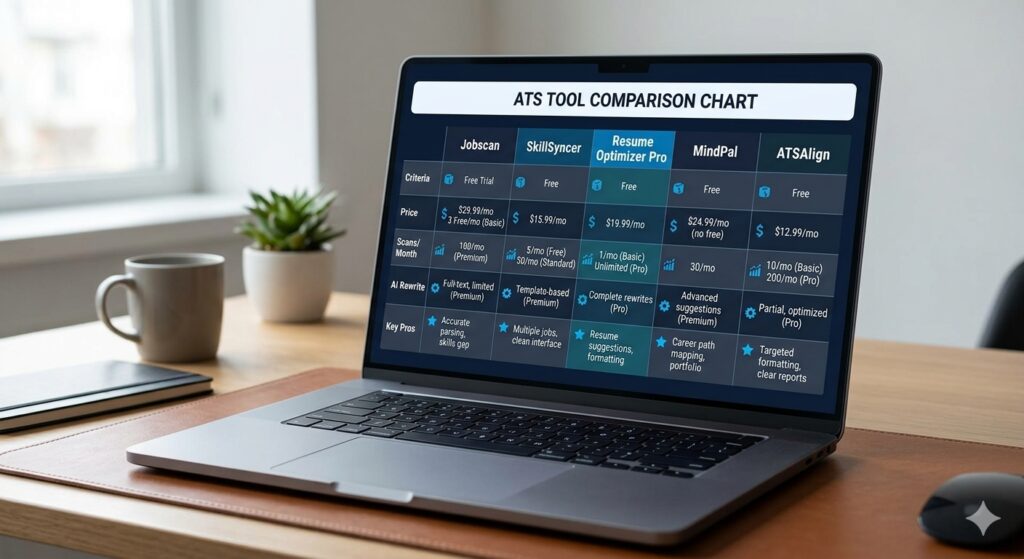
Comparison chart of Jobscan and free ATS scanner alternatives
What Jobscan Gets Right—and Where It Falls Short
Jobscan’s core strength is its detailed keyword‑gap analysis. Users upload a resume and a job description; the platform then highlights missing terms, suggests placement improvements, and provides a percentage match. The premium version adds LinkedIn‑profile optimization and a cover‑letter matcher, making it a one‑stop shop for some job seekers.
However, several limitations have prompted users to explore alternatives:
Scan caps. The free plan allows only five scans per month, which is insufficient for high‑volume applicants.
No automatic rewrite. After seeing the missing‑keyword list, you must edit the document manually. This creates a repetitive edit‑re‑scan loop.
Pricing pressure. Even the discounted annual plan costs $14.95 / month, and the month‑to‑month plan sits at $49.95 / month—a 67% premium over many competitors.
Focus on keywords. Jobscan’s match rate measures vocabulary overlap but does not evaluate formatting errors, bullet‑point strength, or overall readability, which are also important for ATS parsing.
If you need unlimited scans, AI‑generated rewrites, or deeper format checks, these shortcomings make Jobscan less attractive for most independent job seekers.
Top Free and Low‑Cost Jobscan Alternatives
Below is a curated list of tools that deliver at least one of the following: unlimited scans, AI‑powered resume rewriting, multi‑category ATS analysis, or a pay‑as‑you‑go pricing model. All options are either completely free or cost a fraction of Jobscan’s subscription.
1. Resume Optimizer Pro
Resume Optimizer Pro offers uncapped ATS‑score checks with no credit‑card requirement. The standout feature is a 45‑second AI rewrite that automatically inserts missing keywords, restructures bullet points, and formats the resume in an ATS‑friendly layout. Pricing starts at $29.95 / month, with a quarterly option at $16.65 / month—still 30% cheaper than Jobscan’s annual plan.
Key advantages:
Unlimited scans for any number of job postings.
One‑click AI rewrite eliminates manual editing.
Detailed score breakdown covering content, format, and keyword density.
2. SkillSyncer
SkillSyncer provides unlimited scans for $14.95 / month (or $34.86 / quarter). The free tier allows two scans per week, which already exceeds Jobscan’s five‑per‑month limit. In addition to keyword matching, SkillSyncer supplies an AI bullet‑point generator and six ATS‑safe resume templates. While it lacks a built‑in LinkedIn optimizer, its price‑to‑feature ratio is among the best on the market.
3. MindPal Resume Checker
MindPal delivers a six‑category ATS score (content, language, experience, bullet points, skills, personal info) even on the free plan. Real‑world data from Q1 2026 shows users improve from an average 44% score to 86% after applying MindPal’s recommendations. The platform also flags formatting issues that Jobscan’s keyword‑only approach often misses.
4. ATSAlign
ATSAlign’s standout claim is a one‑time AI optimization purchase for under $2 per resume. Unlimited free scans are available without sign‑up, and the tool offers a detailed keyword‑gap breakdown for skills, experience, and formatting. This model is perfect for candidates who need occasional deep dives but do not want a recurring subscription.
5. ResyMatch.io
ResyMatch.io is a completely free, unlimited scanner that highlights missing keywords and offers actionable rewrite suggestions. Because it doesn’t require an account, you can test dozens of job descriptions instantly—a clear advantage over Jobscan’s sign‑up barrier.
6. CVEdge (formerly CVLoom)
CVEdge provides unlimited free scans with AI‑assisted rewriting, cover‑letter generation, and a Chrome extension that autofills applications. No credit‑card is needed, and the platform includes over 590 ATS‑tested templates, making it a comprehensive alternative for candidates who want a full application workflow.
7. Upplai
Upplai offers 200 free scans per month and charges just $0.50‑$1 for additional resumes. Its AI optimizer explains every suggested edit, turning the optimization process into a learning experience rather than a black‑box tweak.
These tools collectively cover every core need—unlimited scans, AI rewrite, formatting checks, and cost‑efficiency. Choose the one that aligns with your usage pattern and budget.
How to Evaluate an Alternative Before Committing
Because each platform measures ATS compatibility slightly differently, it’s wise to run a side‑by‑side test. Follow these steps:
Pick a recent job posting. Copy the full description, including required skills and responsibilities.
Upload your current resume. Use the free tier of at least two tools (e.g., SkillSyncer and ResyMatch.io).
Record the scores. Note the overall percentage, as well as any category breakdowns (formatting, keyword density, bullet‑point strength).
Apply the AI rewrite. If the tool offers an automatic rewrite, generate the new version and re‑scan.
Compare the results. Look for consistent gaps—if multiple tools flag the same missing keyword or formatting error, that’s a high‑priority fix.
Finalize the resume. Incorporate the most relevant suggestions, keeping readability for human recruiters in mind.
By triangulating results, you avoid over‑optimizing for a single tool’s algorithm and build a resume that works across the major ATS platforms.
Using MyResumeScan as a Free Benchmark
If you’re still unsure which alternative to adopt, MyResumeScan’s free ATS Resume Checker provides an instant score and a detailed breakdown without any credit‑card requirement. It evaluates 37 signals across eight categories, from formatting to keyword relevance, making it an excellent baseline before testing paid services.
For high‑volume job hunters, Bulk Resume Scanner lets you score several resumes against a single job description—useful when tailoring versions for different roles. And if you need a quick keyword audit, the Free Resume Keyword Scanner highlights missing terms in seconds.
The table demonstrates that even the most feature‑rich alternatives cost significantly less than Jobscan’s entry‑level subscription.
Real‑World Success Stories
Data from multiple platforms illustrate the impact of switching away from Jobscan:
MindPal users reported a 42‑point jump in average ATS score after applying AI recommendations.
Resume Optimizer Pro’s automatic rewrite helped 68% of its users secure at least one interview within two weeks of the first scan.
SkillSyncer’s bulk‑scan capability enabled a cohort of 150 graduate applicants to submit tailored resumes to 10+ positions each, resulting in a 24% higher interview‑call rate versus those using Jobscan’s limited free tier.
These outcomes underscore that a high ATS score coupled with fast, AI‑driven edits can accelerate the job‑search timeline without breaking the bank.
Step‑by‑Step Guide: Using a Free Alternative Effectively
Upload your resume. Choose PDF or DOCX; ensure the file uses standard fonts (Arial, Calibri) and single‑column layout.
Enter the job description. Paste the full posting, including required skills, into the designated field.
Review the keyword gap. Highlight missing terms and note where they appear in the original posting.
Apply AI suggestions. Use the “Auto‑Rewrite” button (if available) or manually incorporate the suggested bullet points.
Rescan. After edits, run the scanner again. Aim for a score of 75%+ for most Fortune 500 roles; 80%+ is ideal for highly competitive positions.
Export the final version. Save as PDF using a recognized ATS‑friendly template (no tables, graphics, or headers/footers).
Repeat the process for each target job. With unlimited free scans, you can afford a dedicated version for every application, increasing relevance and match percentages.
When Might Jobscan Still Be Worth It?
While most independent candidates will benefit from cheaper alternatives, Jobscan retains a niche advantage for users who need deep LinkedIn analysis or a unified platform that bundles resume, cover‑letter, and LinkedIn optimizations under one subscription. If you work with a career‑coaching service that already integrates Jobscan, or if you only apply to a handful of highly specialized roles, the premium plan might still make sense.
Conclusion: Choose Smarter, Not Costlier
Jobscan pioneered the resume‑to‑ATS matching market, but its pricing and limited free tier no longer represent the best value for most job seekers. Free alternatives like MyResumeScan, SkillSyncer, MindPal, and ATSAlign deliver unlimited scans, AI‑driven rewrites, or multi‑category feedback at a fraction of the cost.
By testing a few tools, leveraging AI rewrite features, and aiming for a consistent 75%+ ATS score, you can dramatically improve your chances of getting past the digital gatekeepers—without spending a fortune.
Ready to boost your ATS score for free? Try MyResumeScan’s free resume scanner today and see how a high‑impact, low‑cost alternative can transform your job‑search strategy.
When you apply for a job online, you’ll often see a note asking you to make your résumé “ATS‑friendly.” That phrase hints at a piece of technology that most hiring teams now consider indispensable: the Applicant Tracking System, or ATS. While many candidates hear rumors that an ATS automatically rejects any résumé that isn’t perfectly formatted, the reality is more nuanced. In this guide we unpack exactly what an ATS is, walk through its step‑by‑step workflow, debunk common myths, and explore the tangible benefits for both recruiters and candidates.
Defining the Applicant Tracking System
An Applicant Tracking System (ATS) is recruitment‑focused software that centralises every facet of the hiring funnel. Think of it as a specialised Customer Relationship Management (CRM) system, but instead of managing sales leads it manages job applicants. The core purpose is to collect, store, organise, and move candidates through defined stages—from the moment a job posting goes live to the final offer and, in many modern solutions, even the first day of onboarding.
The market data is striking: more than 70 % of large organisations and upwards of 90 % of Fortune 500 companies rely on an ATS to handle their hiring volume. This widespread adoption reflects the system’s ability to replace chaotic email threads and endless spreadsheet rows with a single searchable database.
Core Components and Features
Although every vendor packages its product slightly differently, most ATS platforms share a handful of essential modules:
Job Requisition & Approval Workflow: Hiring managers submit a job request, which then travels through predefined approvals before the role is posted.
Multi‑Channel Job Posting: One click pushes the opening to dozens of job boards, social media channels, and the company’s career site.
Resume Ingestion & Parsing: Uploaded PDFs or Word files are turned into structured data—name, contact details, experience, education, skills—using natural language processing (NLP) engines such as Textkernel, DaXtra, or RChilli.
Keyword Matching & Scoring: The parsed data is compared against a job‑specific keyword set. Many systems add weightings for seniority, certifications, or location to calculate a relevance score.
Candidate Ranking & Shortlisting: Recruiters view a ranked list or a visual pipeline, allowing them to focus on the most promising applicants first.
Automated Communications: Confirmation emails, status updates, interview invitations, and rejection notices are sent automatically, often with customizable templates.
Interview Scheduling & Calendar Integration: Candidates can self‑book slots, and the ATS syncs directly with Outlook or Google Calendar.
Analytics & Reporting: Dashboards surface metrics like time‑to‑hire, source‑of‑hire, conversion rates at each funnel stage, and diversity statistics.
Compliance & Audit Trail: Every action—from who changed a candidate’s status to which screening question was answered—is logged for EEOC, GDPR, or OFCCP compliance.
How an ATS Works: The End‑to‑End Workflow
Below is a typical lifecycle that most ATS platforms follow. While the exact terminology can vary, the underlying steps are consistent across the industry.
Flowchart illustrating the end‑to‑end workflow of an Applicant Tracking System, from job requisition to onboarding.
Requisition Creation & Approval: A hiring manager drafts the role description, sets salary range, and selects required competencies. The requisition routes through an approval hierarchy, ensuring budget and policy alignment.
Job Distribution: With the requisition approved, the ATS pushes the posting to integrated job boards (Indeed, LinkedIn, niche sites) and the company’s careers page. Some platforms also broadcast to social channels automatically.
Application Capture: Candidates apply via the branded career portal or by uploading a résumé to a linked job board. The ATS assigns each submission a unique identifier and stores the original file.
Resume Parsing: Using AI‑driven parsing engines, the system extracts key fields (e.g., “Software Engineer”, “Java”, “5 years”) and maps them to a structured candidate profile.
Automated Screening: Recruiters define screening criteria—mandatory qualifications, knockout questions, or weighted keyword sets. The ATS runs each profile through these rules, generating a relevance score.
Candidate Ranking & Shortlist: The ranked list appears in the recruiter’s dashboard. Recruiters can further filter by location, availability, or internal referral status, then move top candidates into the interview pipeline.
Interview Coordination: The ATS sends interview invitations, lets candidates choose times, and logs each interview stage (phone screen, technical test, onsite). All notes are attached to the candidate’s record.
Offer Management & Onboarding: Once a hire is selected, the system can generate an offer letter, capture e‑signatures, and trigger onboarding tasks in the connected HRIS.
Analytics & Continuous Improvement: Post‑hire, the ATS records metrics such as time‑to‑fill and source quality. Recruiters use these insights to refine future job descriptions and sourcing strategies.
The Technology Behind Resume Parsing and Scoring
At the heart of every ATS is the parsing engine. Early systems relied on simple regex patterns—essentially looking for exact keyword strings. Modern solutions employ deep learning models that understand context, synonyms, and even grammar. For instance, a candidate who writes “Managed a team of 10 engineers” will be matched to the keyword “team leadership” even though the exact phrase isn’t present.
Scoring algorithms typically combine multiple factors:
Keyword Frequency: How many times a required skill appears.
Proximity and Placement: Skills listed under a relevant job title or in the “Core Competencies” section may carry more weight.
Experience Level: Years of experience or seniority cues (e.g., “Senior”, “Lead”) adjust the score.
Custom Weights: Recruiters can manually boost high‑priority qualifications (e.g., a required certification).
Because each vendor fine‑tunes its algorithm, scores can differ from one ATS to another. That’s why tools like the ATS Resume Checker are valuable for job seekers—they give a snapshot of how a typical system might evaluate a résumé and suggest keyword adjustments.
Common Misconceptions
There’s a lot of misinformation floating around the job‑search community. Let’s address the most persistent myths:
Myth 1: The ATS automatically rejects my résumé if the formatting is off. In reality, most systems do not discard a resume solely for style. They may struggle to parse complex layouts (tables, graphics, headers), which can result in missing data, but the candidate usually remains in the pipeline.
Myth 2: An ATS decides who gets hired. The ATS is a decision‑support tool. Human recruiters still review the shortlist, conduct interviews, and make the final offer.
Myth 3: Using keyword‑stuffed résumés guarantees an interview. Over‑optimisation can look unnatural to a recruiter and may even trigger a low relevance score if the system detects mismatched context.
Myth 4: All ATS platforms function the same way. Features differ dramatically—some provide AI‑driven predictive analytics, others focus on simple workflow automation. Choosing the right tool depends on company size, hiring volume, and specific compliance needs.
Benefits for Recruiters and Hiring Teams
When deployed correctly, an ATS delivers concrete ROI:
Reduced Time‑to‑Hire: Automated parsing turns a 30‑second manual skim into a 1‑minute data entry, and ranking surfaces top talent quickly. Studies report up to a 60 % reduction in screening time.
Lower Cost‑Per‑Hire: By cutting manual effort and agency reliance, organisations save 30‑50 % on recruiting budgets.
Improved Candidate Experience: Timely status emails and self‑service scheduling reduce ghosting and keep applicants engaged.
Data‑Driven Decisions: Real‑time dashboards let hiring managers see which sources deliver the best hires, enabling smarter spend allocation.
Compliance Assurance: Automated audit trails and EEOC‑ready reporting protect against legal exposure.
Optimising Your Résumé for the ATS
Even though the ATS isn’t a mystical gatekeeper, aligning your résumé with its expectations boosts visibility. Here are actionable tips, many of which are reinforced by the How ATS Systems Actually Score Resumes guide:
Use Simple Formatting: Stick to standard headings (Experience, Education, Skills), avoid tables, graphics, and custom fonts. A clean .docx or PDF ensures accurate parsing.
Mirror Job Description Language: Pull exact phrases and required skills from the posting. If the role calls for “Python” and “Agile methodology,” include those terms verbatim.
Prioritise Relevant Keywords Early: Place core competencies in the top half of the document; many parsers give higher weight to early content.
Leverage Online Scanners: Run your résumé through the Free Resume Scanner or the AI Resume Scanner to see a breakdown of keyword matches and parsing accuracy.
Tailor for Each Application: Even small tweaks—re‑ordering bullet points, swapping out less‑relevant skills—can increase your ATS score dramatically. Our step‑by‑step guide on how to tailor a résumé for each job walks you through the process.
Future Trends: AI, Predictive Hiring and Bias Reduction
The next generation of ATS platforms is moving beyond keyword matching toward holistic, AI‑powered talent intelligence. Emerging capabilities include:
Semantic Matching: Using large language models to understand the intent behind experience descriptions, not just exact words.
Predictive Analytics: Forecasting candidate success based on historical hiring data, performance reviews, and turnover patterns.
Bias Mitigation Tools: Algorithms that anonymise identifiable information (gender, age, ethnicity) during the initial screen to promote diversity.
Conversational Recruiters: Integrated chatbots that conduct screening questions, answer candidate FAQs, and schedule interviews in real time.
Integrated Onboarding: Seamless hand‑off to HRIS systems for background checks, e‑signatures, and first‑day paperwork.
While AI adds sophistication, the fundamental principle remains unchanged: the ATS is a facilitator, not a decision‑maker. Human judgment, cultural fit, and soft‑skill assessment still carry the final weight.
Dashboard view of an ATS showing candidate pipeline, analytics graphs, and real‑time status updates.
Conclusion
An Applicant Tracking System is far more than a résumé‑filtering black box. It is a comprehensive, data‑rich platform that centralises job postings, parses applications, ranks candidates, automates communication, and delivers actionable insights. By understanding how the ATS processes information—and by optimising your résumé accordingly—you can dramatically improve your chances of moving beyond the initial screen.
For recruiters, embracing the full suite of ATS features—from analytics dashboards to AI‑driven matching—means faster hires, lower costs, and a more consistent candidate experience. For job seekers, a few simple formatting tweaks and keyword alignments—verified with tools like the ATS Resume Checker—can turn a generic application into a targeted, searchable profile that stands out in the digital filing cabinet of modern hiring.
Whether you’re a hiring manager looking to streamline your team’s workflow, or a candidate aiming to crack the system’s code, the key takeaway is the same: the ATS is a powerful ally when used wisely, not an impenetrable barrier.
More than 98% of Fortune 500 companies rely on applicant‑tracking systems (ATS) to filter the flood of applications they receive. In many cases, an ATS eliminates up to 75% of resumes before a human ever sees them. That means a perfectly qualified candidate can be rejected simply because the resume wasn’t formatted for the software. Optimizing your resume before you even apply ensures the ATS parses every detail, matches the right keywords, and scores high enough to reach a recruiter’s inbox.
Below are ten actionable ways to make your resume ATS‑friendly, each backed by industry‑tested best practices. Follow these steps, run your draft through a free Resume Scanner, and you’ll dramatically improve your chances of getting an interview.
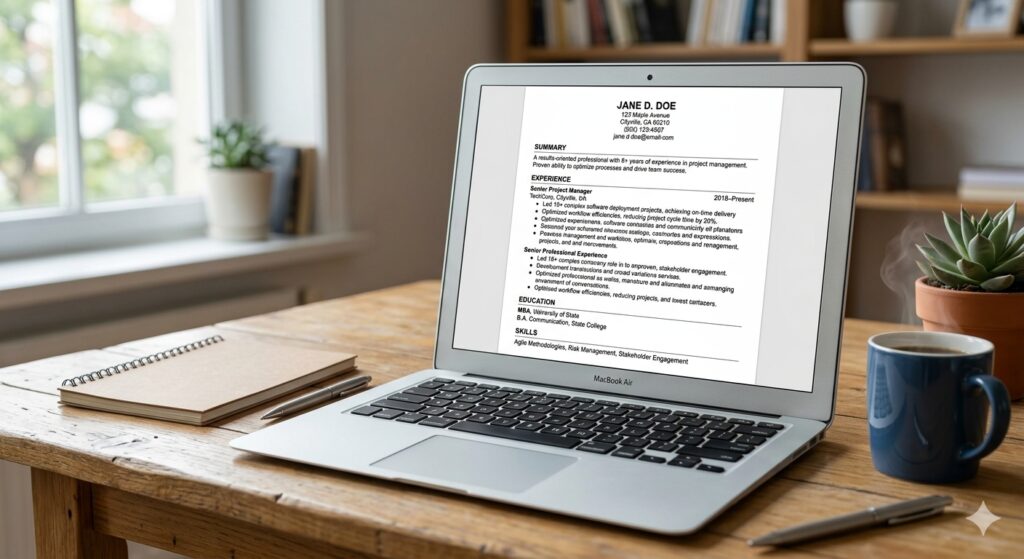
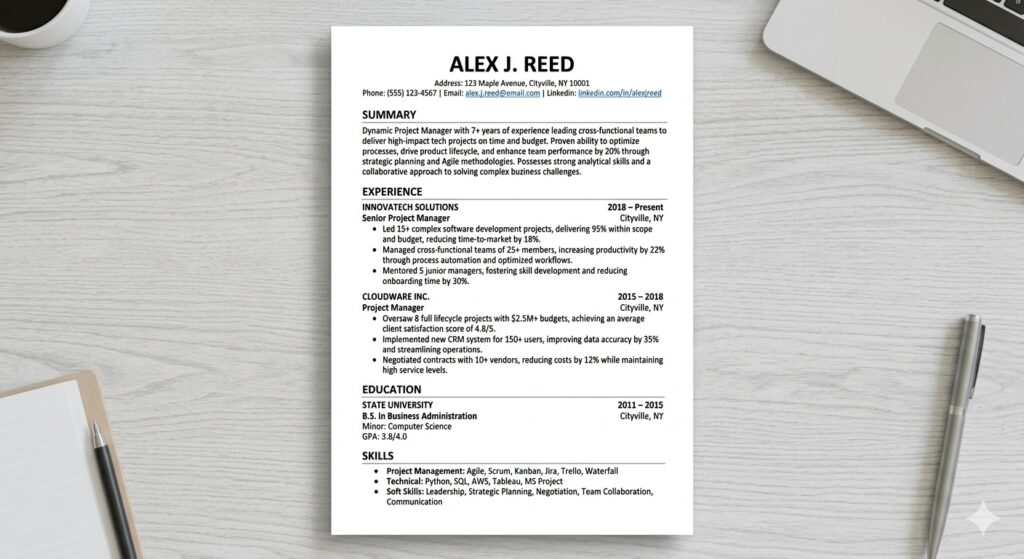
Clean, single‑column ATS‑friendly resume layout displayed on a laptop screen
1. Stick to a Simple, Single‑Column Layout
ATS parsers read a resume line‑by‑line. Multi‑column designs, tables, or text boxes break that linear flow, causing the software to skip or scramble critical information. Use a single‑column format with a one‑inch margin on all sides. Avoid headers, footers, and sidebars; instead, place your contact details at the very top of the main body. This straightforward layout lets the ATS capture your name, phone, email, and LinkedIn profile without missing a beat.
2. Use Standard Section Headings
Section titles act as anchors for the ATS. Stick to universally recognized headings such as Professional Summary, Work Experience, Education, Skills, and Certifications. Creative titles like “Career Highlights” or “What I’ve Done” may be ignored, leaving gaps in the parsed data. Consistent headings also help recruiters skim your resume quickly after the ATS passes it along.
3. Choose ATS‑Safe Fonts and Font Sizes
San‑serif fonts like Arial, Calibri, or Helvetica render cleanly across all parsing engines. Keep the body text between 10‑12 pt and section headings 14‑16 pt. Avoid stylized or colored fonts, embedded icons, and special characters. Bold and italics are acceptable for emphasis, but keep them minimal—excessive formatting can confuse the parser.
4. Incorporate Exact Job‑Description Keywords
The heart of ATS ranking is keyword matching. Pull out the exact phrases, tools, and certifications from the posting—e.g., “project management”, “Java”, “Google Analytics”, “Scrum Master”. Insert these terms naturally throughout your Professional Summary, Skills list, and bullet points. Remember to include both the full term and common abbreviation (e.g., “Search Engine Optimization (SEO)”). Over‑stuffing triggers spam filters; aim for a natural fit, typically 2‑3 mentions per keyword.
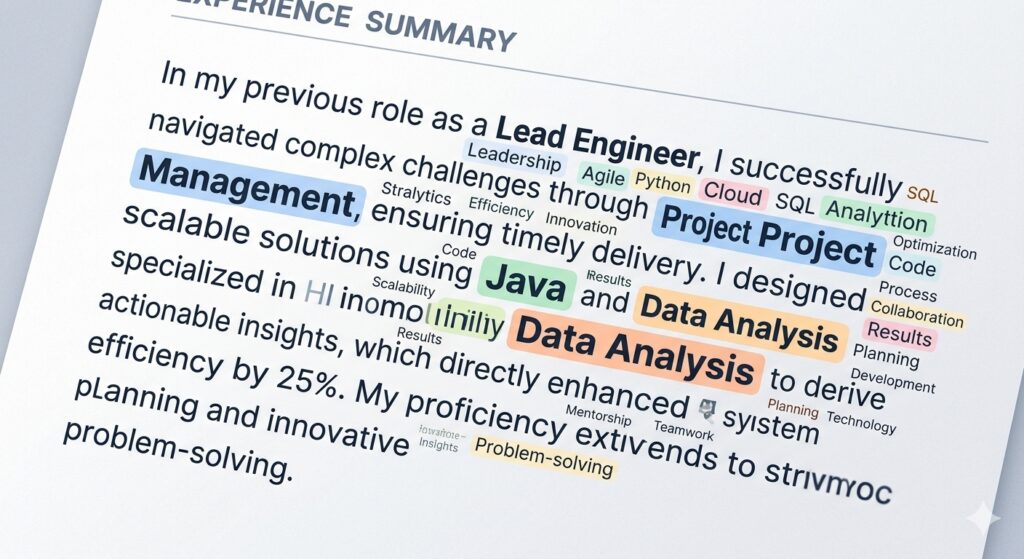
Word cloud of common job‑specific keywords highlighted in a resume excerpt
5. Quantify Achievements with Plain Text
ATS can read numbers, but it can’t interpret graphics or charts. Replace visual metrics with concise text: “Increased sales by 30% YoY”, “Reduced API response time from 200 ms to 65 ms”, “Managed a budget of $1.2 M”. Quantified results not only boost ATS relevance (they often contain hard‑skill keywords) but also impress human readers looking for impact.
6. Save in the Right File Format
Most modern ATS platforms reliably parse .docx and text‑based PDFs. If the job posting specifies a format, follow it precisely. When unsure, keep both a Word version and a PDF version ready. Avoid scanned images, .png, or .jpg uploads—these are invisible to the parser. Before uploading, open the file in a plain‑text editor to ensure all content stays legible.
7. Place Contact Information in the Body
Headers and footers are often ignored by ATS engines. List your name, phone number, professional email, and LinkedIn URL at the very top of the main document, not in a header. This ensures the system captures the data for searchable fields and proper candidate identification.
8. Use Simple Bullet Points and Plain Text Lists
Replace fancy icons or custom bullet characters with standard round or square bullets. Avoid nested lists; keep each bullet a single, concise sentence that begins with a strong action verb (e.g., “Led”, “Developed”, “Optimized”). Plain bullets translate directly into searchable tokens for the ATS.
9. Run a Free ATS Check Before Submitting
Even with perfect formatting, tiny errors can slip through. Use a free ATS Resume Checker or the AI Resume Scanner to see how your document parses. These tools highlight missing sections, misplaced text, and keyword gaps. Aim for a match score of 75% or higher for the specific job description; if you fall short, tweak the language or structure accordingly.
10. Leverage Networking to Bypass the Bot
While an ATS‑optimized resume is essential, it’s not a guarantee. A referral from a current employee or a direct message to a hiring manager can push your résumé to the top of the queue, essentially bypassing the initial software filter. Combine a flawless ATS‑friendly document with targeted networking—share a link to your Keyword Scanner results when reaching out, and you’ll demonstrate both preparedness and data‑driven insight.
Conclusion: Turn the ATS from Obstacle into Ally
Think of the ATS as a gatekeeper that only opens for resumes that speak its language. By applying the ten steps above—clean layout, standard headings, correct fonts, exact keywords, quantifiable results, proper file types, visible contact info, plain bullets, thorough testing, and strategic networking—you transform your résumé from a hidden file into a compelling candidate profile. Run your final draft through MyResumeScan’s free tools, watch your match score rise, and submit with confidence. The right combination of technology and human touch will ensure your ATS‑friendly resume lands where it belongs: in front of a hiring manager.
In 2026, more than three‑quarters of large employers rely on applicant tracking systems (ATS) to filter incoming applications before a human ever sees them. If your resume can’t be parsed, it’s effectively invisible—even if you have the perfect experience. A quick, free ATS scan can tell you whether your document will survive that first digital gate.
Unlike a traditional résumé review that focuses on storytelling, an ATS check evaluates four core pillars: formatting & readability, keyword alignment, section completeness, and quantifiable impact. Each pillar receives a weighted score that adds up to an overall ATS percentage. Understanding these scores empowers you to make data‑driven tweaks that dramatically increase interview chances.
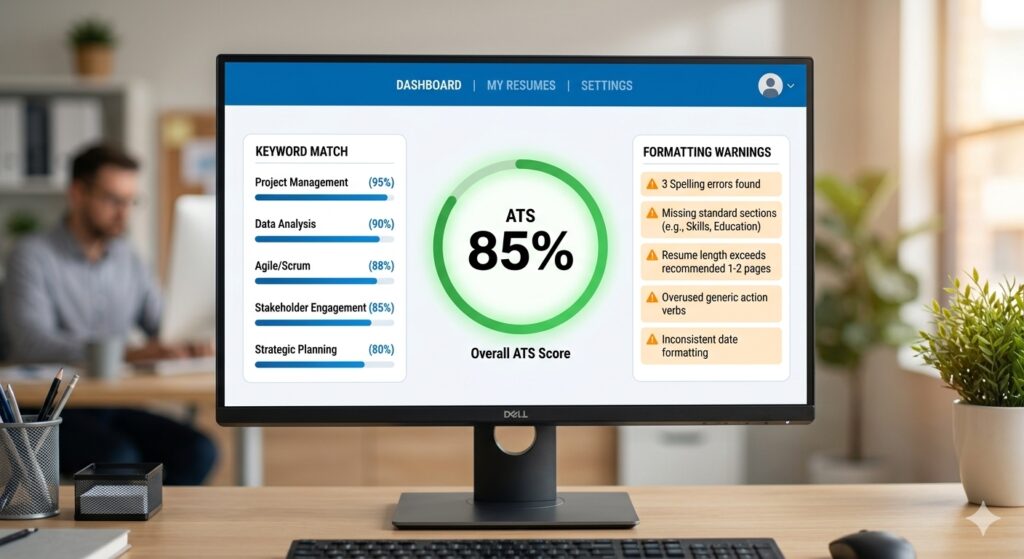
Screenshot of an ATS resume checker dashboard showing score, keyword match, and formatting alerts
What ATS Systems Actually Look For
Even though each vendor (Workday, Greenhouse, Taleo, Lever, etc.) uses its own parsing engine, they share a surprisingly consistent set of rules. Below are the most critical elements that every scanner tests.
1. File Type and Text Layer
PDF or DOCX with selectable text is safest. Scanned image PDFs break parsing because the text isn’t machine‑readable.
Word documents should be saved in the .docx format; older .doc files can introduce hidden formatting.
2. Simple, Single‑Column Layout
ATS parsers read left‑to‑right, top‑to‑bottom. Multi‑column tables, sidebars, or graphics cause data to be omitted or misplaced.
Standard headings (e.g., Work Experience, Education, Skills) help the parser map content to the right sections.
3. Keyword Coverage
Keywords are the language of the job description. ATS engines compare the frequency and placement of these terms against the posting. A well‑optimized resume typically hits 60‑80% of the top 30 relevant keywords.
4. Structured Section Order
Most parsers expect contact information first, followed by a concise summary, then work experience, education, and finally skills. Inconsistent ordering can cause critical data—like dates or job titles—to be missed.
5. Quantifiable Achievements
Numbers (e.g., “increased sales by 22%”) not only impress hiring managers, they also give ATS algorithms a clear indicator of impact, which is weighted in many scoring models.
Free ATS Checkers You Can Use Right Now
There are dozens of tools on the market, but only a handful provide detailed, actionable feedback without demanding a credit card. Below is a curated list of the most reliable free scanners, based on the research data.
MyResumeScan ATS Resume Checker – instant score, 27‑point diagnostic, and a “match & improve” feature that aligns your resume with a specific job description.
Kickresume’s ATS Resume Checker – 20+ technical checks, score out of 100, and a side‑by‑side comparison with top‑performing resumes.
Enhancv’s free scanner – 27 checks across seven categories, including bias detection and seniority fit.
SkillSyncer – job‑specific match score with a built‑in bullet‑point generator for missing keywords.
Jobalytics – unlimited free scans, real‑time keyword gap analysis, and AI‑powered cover‑letter suggestions.
All of these tools share a common workflow:
Upload a PDF/DOCX or paste plain‑text.
Optionally paste the job description you’re targeting.
Press “Scan” and receive a score (usually 0‑100) plus a detailed report.
How to Interpret the ATS Score
Scores are not pass‑fail marks; they’re diagnostic signals. Here’s a practical breakdown you can use as a quick reference:
Score Range
Interpretation
Recommended Action
90‑100
Excellent – likely to be parsed perfectly.
Double‑check for keyword stuffing; ensure natural readability.
75‑89
Great – strong chance of passing most major ATS.
Fine‑tune any missing high‑impact keywords.
60‑74
Average – resumes are readable but may miss key terms.
Revise bullet points to include more exact phrasing from the job description.
40‑59
Weak – parsing errors likely.
Reformat to a single column, replace fancy fonts, and add missing sections.
Below 40
Critical – most ATS will reject.
Start from a clean ATS‑friendly template and rebuild.
Remember: a high score only guarantees that the system can read your resume. It does not guarantee an interview; relevance to the role is still essential.
Common Formatting Pitfalls (And How to Fix Them)
Even the most experienced job seekers fall into traps that confuse parsers. Below are the top mistakes and the exact steps to correct them.
Multi‑Column Layouts and Tables
Columns split the text flow, causing the ATS to read only the leftmost column. Replace tables with simple bullet lists. If you must display a skills matrix, convert it to a comma‑separated line.
Headers and Footers for Contact Info
Many ATS strip header/footer content. Move your name, phone, email, and LinkedIn URL into the main body, preferably as the first line.
Non‑Standard Section Headings
Headers like “Professional Journey” or “Core Competencies” may be ignored. Stick to conventional titles: Work Experience, Education, Skills.
Images, Icons, and Graphics
Logos and icons are invisible to parsers. Use plain text for company names and remove decorative elements.
Complex Fonts and Colors
Fancy fonts (e.g., Script, Handwriting) or light gray text can be missed. Use standard system fonts like Calibri, Arial, or Times New Roman, and keep text color black (or very dark gray).
Clean, single‑column resume layout with standard headings and bullet points
DIY Offline Test: The Quick Select‑All Check
If you’re wary of uploading your document, there’s a simple offline method:
Open the PDF in a viewer (Adobe Reader, Chrome, etc.).
Press Ctrl+A (Windows) or Cmd+A (Mac) to select all text.
If every line—including your name, phone, and each bullet—highlights, the text is selectable and likely parsable.
If large blocks remain dark or unselectable, you probably have an image‑based PDF that needs conversion.
This test catches one of the most common failures: scanned resumes.
Keyword Optimization – From Generic to Exact
Keywords are not just buzzwords; they are the exact terminology the ATS uses to rank candidates. Follow these steps to ensure you hit the right ones.
1. Extract Core Terms from the Job Description
Copy the posting into a text editor and highlight nouns and phrases that appear repeatedly (e.g., “Agile”, “data visualization”, “project lifecycle”).
2. Map Keywords to Your Existing Content
For each term, locate a bullet where you can naturally insert it. Avoid forced phrasing—use action verbs that incorporate the keyword (e.g., “Led an Agile sprint that reduced cycle time by 15%.”)
3. Prioritize High‑Impact Skills
ATS engines weigh skill keywords more heavily than generic adjectives. Place the top 10–12 skills in a dedicated Skills section, formatted as a simple list.
4. Use Exact Phrases
If the posting says “project management”, write “project management” verbatim, not “managed projects”. Exact phrase matches are counted more often.
Quantifiable Achievements – The Numbers Game
Almost every free ATS scanner flags low impact language. Replace vague statements like “responsible for sales growth” with concrete figures: “Boosted quarterly sales by $120K (22% YoY).” Numbers improve three scoring dimensions: content quality, impact, and keyword density (e.g., “increased revenue by 15%” includes the keyword “revenue”).
Step‑by‑Step Workflow Using MyResumeScan’s Free Checker
Optional but recommended: paste the exact job description you’re targeting in the provided field.
Click “Scan” – the tool returns a score within 30 seconds and a list of issues.
Review the Formatting section first. Fix any highlighted problems (e.g., tables, headers).
Move to Keyword Match. Add missing terms directly into your bullet points or the Skills list.
Check the Content Quality recommendations – replace passive voice, add quantifiers, and swap weak verbs for stronger ones.
After making changes, re‑upload the revised file and rescan until you consistently land in the 75‑90 range.
Finally, download the optimized version and submit it through the employer’s portal.
This iterative loop mirrors the workflow of premium tools, but it’s completely free and requires no sign‑up.
Final ATS‑Ready Checklist
File format: PDF (selectable text) or DOCX.
Single‑column, standard font (Calibri, Arial, Times New Roman), black text.
Contact information in the body, not header/footer.
Standard headings: Contact, Summary, Work Experience, Education, Skills.
Dates formatted consistently (Month Year – Month Year).
At least 60 % of the top 30 keywords from the job posting appear verbatim.
Each bullet starts with a strong action verb and includes a measurable result.
No images, graphics, or tables that can break parsing.
Length: 1‑2 pages for most professionals; 3 pages only if you have 10+ years of experience.
Run the free ATS scan again after every major edit.
Conclusion: Turn the ATS From Gatekeeper to Ally
Modern recruiting is a two‑stage funnel: first the algorithm, then the human. By treating the ATS as a real reviewer and giving it a clean, keyword‑rich resume, you dramatically increase the odds that your story will ever be read. The best part? You don’t need a pricey subscription; a handful of free tools—especially MyResumeScan’s ATS Resume Checker—provide the data you need to iterate quickly and confidently.
Take the first step today: upload your resume, run the free scan, and start polishing. Within minutes you’ll have a concrete score, a prioritized fix list, and a clear path to a higher‑impact, ATS‑friendly document that gets you in front of the hiring manager.
More than 75% of large employers rely on Applicant Tracking Systems (ATS) to filter the flood of resumes they receive. If your resume can’t be parsed or doesn’t contain the right keywords, it may be discarded before a human ever sees it. A free ATS score checker gives you a snapshot of how an ATS would read your document, letting you fix problems in seconds rather than after weeks of silence.
Unlike a generic “resume review,” an ATS score focuses on the exact criteria an automated system evaluates: parse‑ability, keyword coverage, formatting compliance, and quantifiable achievements. By obtaining a numeric match score—typically expressed as a percentage—you can benchmark your resume against the job description and prioritize the most impactful changes.
Below we’ll unpack how these tools work, what the scores really mean, and how you can turn a 45% rating into a 85% or higher, dramatically improving your interview odds.
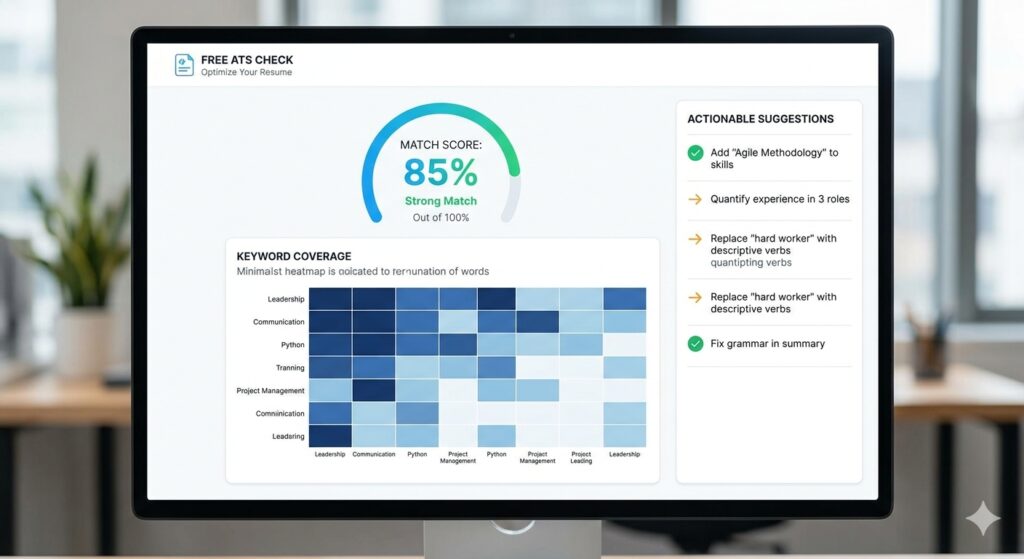
Dashboard of a free ATS score checker displaying a match percentage and keyword heat map
How Free ATS Score Checkers Compute Your Match
Most free scanners follow a similar multi‑step algorithm, even though the exact weighting varies. The dominant signals, based on the research from tools like Enhancv, Jobalytics, and ResyMatch.io, look like this:
Keyword Coverage (≈60% of the score) – The tool compares every word in the job posting with the words in your resume. Synonyms and industry‑specific terms are often recognized via AI, but exact matches carry the most weight.
Section Completeness (≈15%) – ATS platforms expect standard headings (Contact, Experience, Education, Skills). Missing or unconventional sections lower the score.
Formatting Readability (≈15%) – Single‑column layouts, standard fonts (Arial, Calibri, Times New Roman), and plain text ensure the ATS can parse the file without corruption.
Quantified Achievements (≈10%) – Numbers, percentages, and impact metrics help both ATS algorithms and recruiters gauge relevance.
Behind the scenes, the scanner parses the uploaded PDF or DOCX, extracts plain text (often using libraries like PDF.js or Mammoth.js), then runs a series of checks:
File type validation (PDF, DOCX, TXT) and size limit (usually 2 MB).
Structure analysis – confirming headings, consistent date formats, and chronological order.
Keyword extraction – tokenizing the job description, removing stop‑words, and creating a weighted list.
Scoring – applying the weighted formula to generate an overall percentage and a breakdown per category.
The result is delivered in seconds, often with a downloadable PDF report that lists missing keywords, formatting red flags, and suggested bullet‑point rewrites.
Interpreting the Numbers: What’s a Good ATS Score?
While each platform defines its own thresholds, industry consensus (Kickresume, Jobalytics, SoundCV) suggests:
Score Range
Interpretation
Recommended Action
80‑100%
Strong – likely to pass most ATS filters.
Fine‑tune language, but you’re ready to apply.
65‑79%
Moderate – passes many but not all systems.
Add missing keywords, simplify formatting.
50‑64%
Weak – high risk of rejection.
Re‑write sections, ensure standard headings.
Below 50%
Critical – needs a major overhaul.
Consider using a dedicated ATS‑friendly template.
Research from ResuScan shows resumes scoring 80%+ receive up to three times more interview calls than those under 50%, highlighting the practical payoff of hitting the “strong” band.
Top Free ATS Score Checkers to Try Right Now
Below is a quick comparison of the most popular free tools. All operate without credit‑card requirements and provide instant feedback.
Tool
Key Features
Score Range
Unique Benefit
Enhancv Free ATS Resume Checker
27 checks (content, layout, red‑flags); PDF/DOCX up to 2 MB; privacy‑first.
0‑100%
Two‑tier parsing + writing issue analysis.
Kickresume ATS Resume Checker
20+ technical checks; keyword gap analysis vs. database of successful resumes.
0‑100%
Scores above 75% flagged as “good.”
Jobalytics Free ATS Score Checker
Matches resume to job description; unlimited free scans.
0‑100%
Provides precise missing‑keyword list.
SkillSyncer
2 scans/week on free plan; PDF export; keyword ranking by frequency.
0‑100%
AI‑generated bullet refinements.
Loopcv Free AI CV Checker
No account needed; instant re‑scan after edits.
0‑100%
Targets 80+ as optimal.
All of these tools share a common workflow: upload → instant score → actionable report. Choose one that matches your preference for UI, depth of feedback, or privacy policy.
Step‑by‑Step Guide: Using a Free ATS Score Checker Effectively
Gather the Job Description – Copy the full posting, including required skills, responsibilities, and any listed qualifications.
Upload Your Current Resume – Use a clean PDF or DOCX file under the tool’s size limit. Avoid embedded graphics or tables.
Review the Overall Score – Note whether you fall into the “strong,” “moderate,” or “weak” band.
If the score is below 65%, plan a deeper revision.
If it’s 65‑79%, focus on missing keywords and minor formatting tweaks.
Above 80%? You’re ready to submit, but a final human read‑through is still wise.
Analyze Keyword Gaps – Most tools highlight exactly which words from the posting are absent. Add them naturally in your experience bullet points or skills section.
Fix Formatting Issues – Common red flags include:
Two‑column layouts or tables (use a single column).
Headers/footers containing contact info (place details in the body).
Non‑standard fonts or excessive colors (stick to Arial, Calibri, Times New Roman, black text).
Quantify Achievements – Replace vague statements with numbers: “Increased sales by 22%” beats “Improved sales.” The ATS Resume Checker — Instant ATS Score and Resume Analysis on MyResumeScan automatically surfaces un‑quantified bullet points and suggests data‑driven alternatives.
Re‑Scan – After editing, upload the revised file for another instant score. Aim for at least a 10‑point jump before you consider the resume ready.
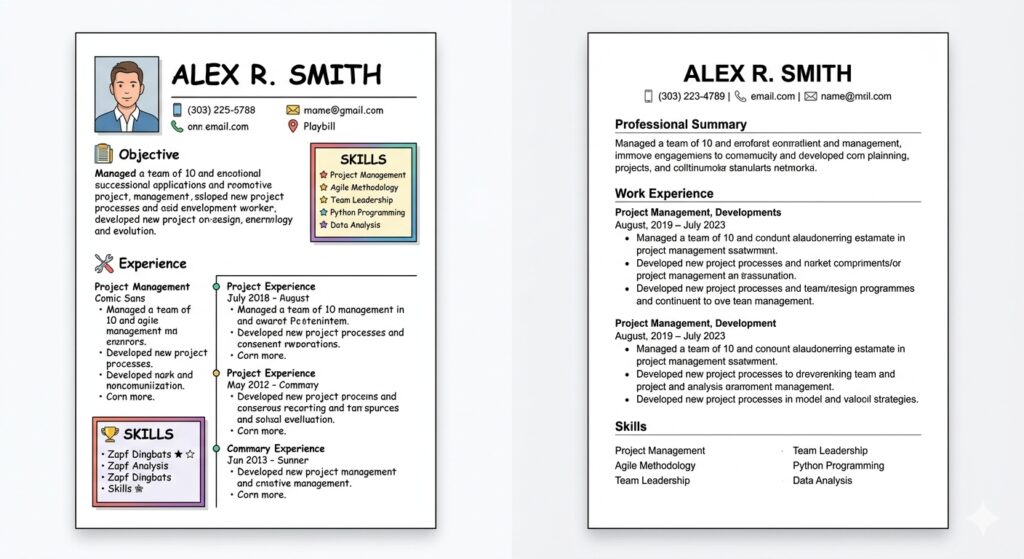
Side‑by‑side comparison of a resume before and after ATS‑friendly formatting adjustments
Best Practices for Boosting Your ATS Match Score
Tailor Every Application – Even if you have a solid base resume, swap in role‑specific keywords for each posting. The Resume Scanner with Job Description helps you match keywords quickly.
Use Standard Section Headings – “Professional Experience,” “Education,” “Skills,” and “Contact Information” are universally recognized.
Keep the Layout Simple – One‑column, left‑aligned text, bullet points, and consistent date formatting (MM/YYYY) reduce parsing errors.
Avoid Hidden Text – Text placed in headers, footers, or inside images is invisible to many ATS parsers.
Prioritize Hard Skills – Many ATS rank technical terms higher than soft‑skill adjectives. List programming languages, tools, certifications first.
Proofread for Spelling – Misspelled keywords are treated as missing entirely.
Implementing these tweaks often yields a 15‑30% score boost without a full rewrite.
Privacy and Data Security: What to Expect
One frequent concern is whether uploading a resume to a free tool exposes personal data. Most reputable services (Enhancv, Loopcv, SoundCV) explicitly state that they do not store or share your document, and some even run the analysis entirely in the browser (e.g., the no‑login checker highlighted in research #6). However, always read the privacy policy—MyResumeScan’s privacy policy confirms that uploaded resumes are deleted after processing.
If you’re applying for highly sensitive positions (government, defense, etc.), consider using an offline parser or a browser‑only tool that never transmits data over the internet.
Beyond the Score: Using ATS Feedback to Craft a Better Narrative
While the numerical rating is handy, the true value of a free ATS checker lies in its detailed feedback. For example, many tools flag “generic language” or “missing achievements.” Treat these suggestions as a roadmap for storytelling:
From: “Responsible for project management.” To: “Led a cross‑functional team of 8 to deliver a $1.2M software project 3 weeks ahead of schedule, reducing costs by 12%.”)
From: “Good communication skills.” To: “Delivered weekly stakeholder presentations that increased client satisfaction scores from 78% to 92%.”)
Such quantified, action‑oriented bullets not only improve the ATS score (they’re recognized as achievements) but also resonate with human reviewers.
When a Free Checker Isn’t Enough
If you consistently score below 60% despite multiple revisions, a deeper dive may be required:
Consider a premium ATS‑optimizing service that offers a personalized rewrite.
Use a dedicated ATS‑friendly template (many free options exist on MyResumeScan’s AI Resume Scanner).
Hire a professional resume writer with expertise in applicant tracking algorithms.
Remember, the goal isn’t to “game” the system; it’s to present your qualifications in a format that both machines and humans can understand.
Conclusion: Turn Seconds into Opportunities
A free ATS score checker is a low‑effort, high‑reward tool that can transform a bland resume into an interview‑generating asset. By uploading your file, reviewing the instant match percentage, and applying targeted keyword and formatting fixes, you gain immediate insight into why a recruiter might be ignoring your application.
Combine the quick diagnostics with best‑practice resume writing—clear headings, quantified achievements, and a clean single‑column layout—and you’ll consistently land in the “strong” score band (80%+). In a job market where only a handful of candidates progress past the ATS, that extra 10‑15 points can be the difference between being seen and staying hidden.
Ready to test your resume? Grab a free ATS checker, scan your document, and watch your match score climb. The next interview could be just a few clicks away.
Sending the same resume to every job is the single most common mistake job seekers make. Check your current ATS match score against any job description — for free — at MyResumeScan before reading further.
Why Tailoring Works — The ATS Reality
When you apply for a job online, your resume is almost never seen by a human first. It goes through an Applicant Tracking System that scores it against the job description. The system extracts keywords, checks where they appear in your resume, validates your experience level, and produces a score. Recruiters then typically review only the applications that scored above a threshold.
A resume that scores 45 against a job description rarely gets seen. One that scores 78 almost always does.
how-to-tailor-resume-for-each-job-4
The score difference between a generic resume and a tailored one for the same candidate applying to the same role is consistently 20 to 35 points. That gap is the difference between getting a call and getting silence.
What Tailoring Actually Means
Tailoring does not mean rewriting your entire resume for every application. That would take hours and you would burn out after three jobs.
Tailoring means making targeted changes to three areas:
The language and terminology you use to describe existing experience
The order and emphasis of skills and achievements
The professional summary at the top
Your core experience stays the same. What changes is how you frame it — specifically, whether the framing matches the language and priorities of the job description you are applying to.
Step 1 — Read the Job Description Like a Researcher
When reading for tailoring, look for:
Required skills listed explicitly — these are non-negotiable keywords. If the JD says “must have experience with Kubernetes,” Kubernetes needs to appear in your experience bullets if you have it.
Preferred or nice-to-have skills — secondary keywords. Worth including if genuine but less critical than required skills.
The language and terminology the employer uses — one JD says “microservices,” another says “distributed systems.” Match their language.
The responsibilities listed — these tell you what the day-to-day work looks like.
Seniority signals — words like “lead,” “own,” “drive,” “architect” signal a senior role. Your language should match.
Take five minutes to highlight or list out the key terms you find. This list becomes your tailoring checklist.
Step 2 — Run Your Current Resume Against the JD First
Before making any edits, check where you currently stand. Paste your resume and the job description into MyResumeScan and note:
Your current overall ATS score
Which keywords are flagged as missing
Which subscores are lowest
This gives you a baseline and tells you exactly where to focus your edits. You are working from a specific gap list — not guessing.
Step 3 — Rewrite Your Professional Summary
The professional summary is the highest-leverage place to tailor because it is the first thing both the ATS and the recruiter read.
Generic summary (avoid this): Experienced software engineer with 5 years of experience in full stack development. Passionate about building scalable applications and working in collaborative teams.
Tailored summary (do this): Full stack engineer with 5 years of experience building React and Node.js applications at scale. Specialized in API design, PostgreSQL optimization, and CI/CD pipelines. Led delivery of a B2B SaaS platform used by 3,000 daily active users.
Use this formula: [Seniority] [role title] with [X years] of experience in [2–3 core skills from JD]. Specialized in [specific relevant skills]. [One achievement with a metric].
Step 4 — Edit Your Experience Bullets for Keyword Context
This is where most of the ATS score improvement happens. Find bullets where you can naturally incorporate the missing keywords — but only where they accurately reflect what you actually did.
Before tailoring: Worked on the backend API and helped improve performance.
After tailoring: Optimized Python-based REST API by introducing Redis caching, reducing average response time from 620ms to 85ms under 10,000 concurrent users.
You do not need to rewrite every bullet. Focus on two or three bullets in your most recent role that are closest to what the JD describes.
how-to-tailor-resume-for-each-job-2
Step 5 — Reorder Your Skills Section
Reorder your skills so the technologies most relevant to this specific JD appear first. It takes thirty seconds and makes your resume feel more precisely targeted to a human reader scanning quickly.
Step 6 — Check Seniority Language Alignment
Match the seniority level of your language to the seniority level of the role.
Junior language (avoid for senior roles):
Helped build the new authentication system
Worked on improving the dashboard load time
Assisted with code reviews
Senior language for the same work:
Designed and implemented OAuth 2.0 authentication system handling 50,000 daily active sessions
Led performance optimization initiative reducing dashboard load time by 65%
Established code review standards adopted across a team of 8 engineers
Step 7 — Re-scan and Measure the Improvement
After editing, paste your updated resume back into MyResumeScan against the same job description.
A well-executed tailoring pass should move your score by 15–30 points. If the score barely moved, check whether the keywords you added are in experience bullets (full credit) or still only in the skills section (partial credit).
How Long Tailoring Actually Takes
Tailoring done efficiently takes 15–20 minutes per application — not two hours.
how-to-tailor-resume-for-each-job-3
Minute 1–3: Read JD, highlight key terms
Minute 4–5: Run resume through ATS scanner, note missing keywords
These things should never change between versions:
Your job titles and employment dates
The companies you worked for
Your actual responsibilities
Your education details
Any certifications or qualifications
What changes is emphasis, language, and ordering — not facts.
Summary
Tailoring your resume is not about being strategic or dishonest. It is about communicating clearly. Your experience is real — the question is whether you are presenting it in language that matches what this specific employer is looking for.
Tailor your summary. Edit three to five bullets. Reorder your skills. Re-scan. Submit. Repeat.